
This document is a user guide for the HG-M700 mobile phone, which provides information on installation, features, and operation methods of the phone.
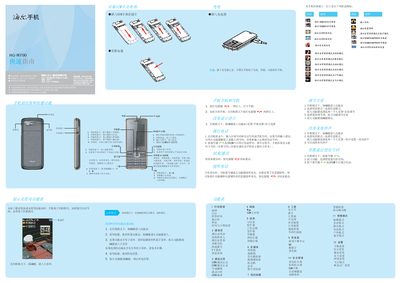
The guide begins with basic installation steps, including inserting the SIM card and battery, connecting the charger, and powering the device on or off. It then explains how to adjust volume, change ringtones, and navigate the main menu using the OK, navigation, and function keys.
Further sections cover making and receiving calls, using the address book, sending messages, and accessing multimedia functions such as the camera, music player, and video player. Safety notices, battery handling instructions, and SAR compliance information are also provided. This manual is written in Chinese.
| Maximum SAR | 0.268 W/kg |
|---|---|
| Charging temperature range | -5 °C to +55 °C |
Insert the SIM card into the SIM slot as shown in the guide.
Connect the charger’s plug to the phone’s charging port and then plug the charger into a power source.
The phone’s maximum SAR is 0.268 W/kg.
Charge the phone only between –5 °C and +55 °C.