
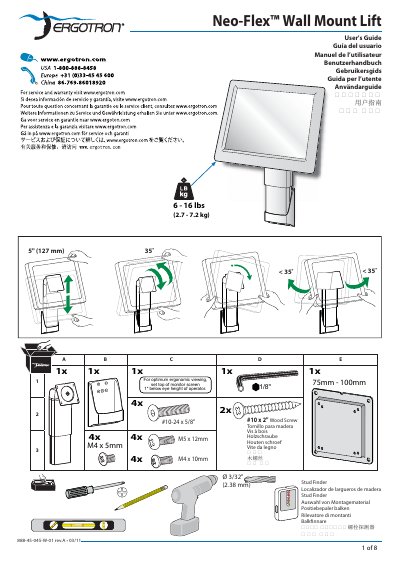
This User's Guide covers the Ergotron Neo-Flex Wall Mount Lift monitor mounting solution. It lists included hardware and fasteners and provides setup instructions in multiple languages.
It gives mounting heights for standing and sitting, screen distance and angle guidance, workstation configuration tips, and fatigue-reduction advice such as breathing, blinking, and taking breaks.
| Weight capacity | 6 - 16 lbs (2.7 - 7.2 kg) |
|---|---|
| VESA mount pattern | 75 x 75mm, 100 x 100mm |
| Mounting height standing | 61.7" - (16.5"+?) |
| Mounting height sitting | 46.1" - (16.5"+?) |
| Minimum screen distance | 20" (508mm) |
It supports 6 - 16 lbs (2.7 - 7.2 kg).
Use #10 x 2" wood screws designed for mounting the wall bracket to wood studs only.
Position the screen at least 20 inches (508 mm) from the face.
It supports 75 x 75 mm and 100 x 100 mm patterns.