
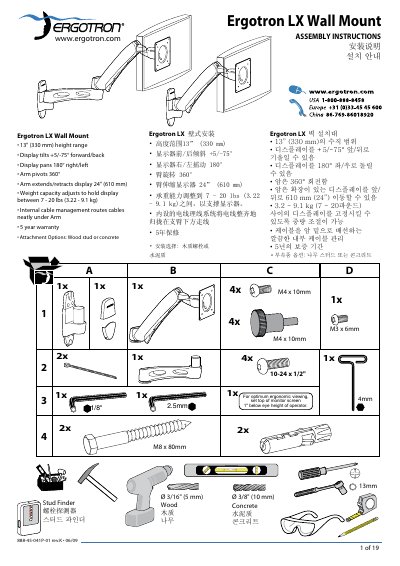
The Ergotron LX Wall Mount provides a height range of 13" (330 mm), tilt of +5/-75°, pan of 180°, and 360° arm rotation. It supports displays weighing 7‑20 lb (3.22‑9.1 kg) and extends up to 24" (610 mm). The guide explains how to attach the mount to wood studs or concrete, adjust tension, and ensure safe installation.
Safety warnings emphasize using a wall structure capable of supporting four times the mounted load and proper anchoring depth (minimum 3‑1/8" or 80 mm). Troubleshooting tips address common issues such as excessive arm swing or lift difficulty, with instructions for tension adjustment and contact information for support.
| Height range | 13" (330 mm) |
|---|---|
| Tilt range | +5° / -75° |
| Pan range | 180° left/right |
| Arm rotation | 360° |
| Extension length | 24" (610 mm) |
| Weight capacity | 7‑20 lb (3.22‑9.1 kg) |
It can support displays weighing between 7 and 20 lb (3.22‑9.1 kg).
Mounting holes must be at least 3‑1/8" (80 mm) deep and placed in solid concrete.
Yes, the mount offers attachment options for wood studs or concrete surfaces.