
NETGEAR WGT634U Wireless Router Installation Guide

This file guides users to use WGT634U router.
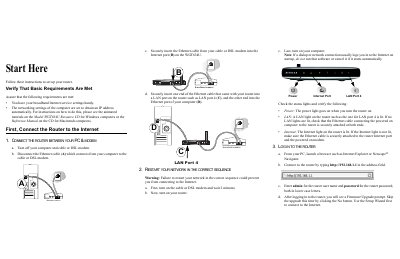

NETGEAR WGT634U Wireless Router Installation Guide - cover page
Brand
NETGEAR
Category
Router
Document type
User Manual
Language
English
Pages
5
File format
PDF
File size
533 KB
Published
22 November, 2012
Updated
30 September, 2023
MD5 checksum
BE430CFDB75BBCE6664702F792FBE1D4

About this manual

This document provides step-by-step instructions to set up a NETGEAR WGT634U Wireless Router. It covers verifying requirements, connecting the hardware between the PC and modem, restarting the network in the correct sequence (modem, then router, then computer), and logging into the router's web interface at http://192.168.1.1.

What's inside

  • Start Here
  • Connect the Router to the Internet
  • Restart Your Network
  • Log In to the Router
  • Run the Setup Wizard
  • Connect a USB Drive
  • USB Drive Wizard
  • Accessing the USB Drive
  • Set Up Basic Wireless Connectivity
  • Troubleshooting Tips

Frequently asked questions

What is the default IP address to log in to the router?

Connect to the router by typing http://192.168.1.1 in the address field.

What are the default login credentials for the router?

Enter 'admin' for both the user name and password, using lower case letters.

Download PDF (533 KB)

More NETGEAR Manuals


View all NETGEAR manuals →