
Key facts
- Brand
- Transcend
- Model
- StoreJet 25 mobile
- Category
- Storage devices
- Industry
- Computers
- Documents
- 5
- Languages
- EN
- Last added
- 2026-10-25
Start here
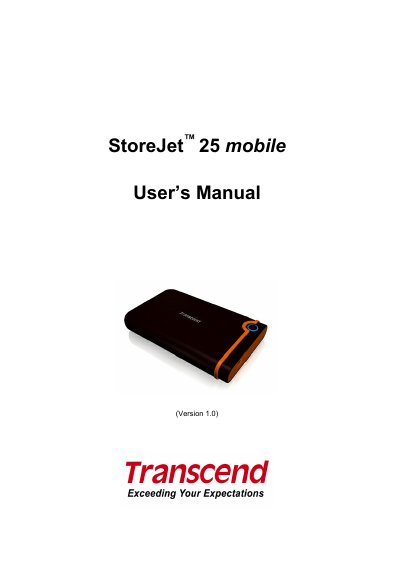
Transcend StoreJet 25 mobile User's Manual
The Transcend StoreJet 25 mobile is a compact, high-speed USB 2.0 storage device designed for uploading, downloading, and transferring data between desktop and notebook computers. It features a durable anti-shock rubber outer case and includes a OneTouch Auto-Backup button for easy data management. The device is powered directly via the USB port and supports capacities of 160GB and 250GB.
Read onlineTranscend StoreJet 25 mobile specifications
| Transfer Speed | 480Mbits per second |
|---|---|
| Storage Media | 2.5-inch SATA Hard Disk Drive |
| Operating Temperature | 5℃ (41℉) to 55 ℃ (131℉) |
| Weight | 206g |
| Warranty | 2-years |
All Transcend StoreJet 25 mobile documents by type
Day-to-day operation, settings and troubleshooting. Start here if the product is already set up.
Questions answered in these manuals
Do I need to install drivers for Windows?
No, Windows 2000, XP, and Vista have built-in drivers to support the StoreJet 25.
What should I do if my computer does not recognize the device?
Ensure the device is properly connected and check if the USB port provides enough power by connecting both large ends of the USB Y-cable to the computer.
Which operating systems are supported by the StoreJet 25 mobile?
The device works with Windows 2000/XP, Windows 7/Vista, Mac OS 9.0, and Linux kernel 2.4.
How do I mount the StoreJet 25 on a Linux system?
Create a mount point (e.g., /mnt/Storejet) and run the mount command: mount ‑a ‑t msdos /dev/sda1 /mnt/Storejet.
Which operating systems are supported by the StoreJet 25 mobile?
The device works with Windows 2000/XP, Windows Vista, Windows 7, Mac OS 9.0, and Linux kernel 2.4.
How do I mount the StoreJet 25 on a Linux system?
Create a mount point (e.g., /mnt/Storejet) and run mount -a -t msdos /dev/sda1 /mnt/Storejet.