
Key facts
- Brand
- Transcend
- Model
- MP350
- Documents
- 3
- Languages
- ES · EN
- Last added
- 2026-11-01
Start here
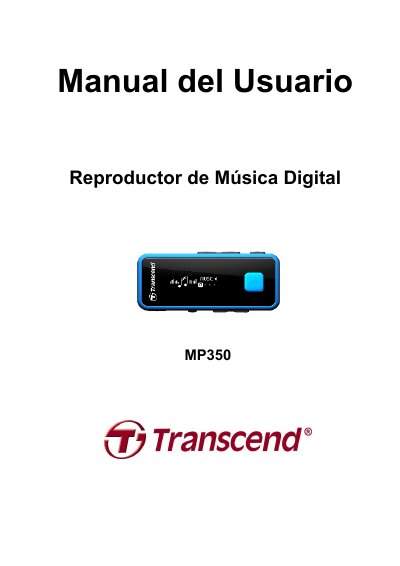
Transcend MP350 Digital Music Player User Manual
This manual covers how to use the Transcend MP350 digital music player, including playback, FM radio, voice recording, and file management. It also explains setup, battery care, and troubleshooting. The device supports MP3, WMA, and WAV formats, features a bright OLED screen, and includes USB connectivity for data transfer and charging. This manual is written in Spanish.
Read onlineTranscend MP350 specifications
| Battery Type | Li-ion rechargeable |
|---|---|
| USB Connector | USB2.0 |
| Display | Vivid OLED monochrome screen |
| Supported Formats | MP3, WMA, WAV |
| Languages | 13 languages |
All Transcend MP350 documents by type
Day-to-day operation, settings and troubleshooting. Start here if the product is already set up.
Questions answered in these manuals
How do I backup files on the MP350?
You are advised to frequently back up data to your computer or another storage medium to prevent data loss.
Why can't I see the lyrics while playing a song?
Check the FAQ section on the Transcend website for detailed instructions on synchronized lyrics.
What happens if the battery is low during recording?
If the remaining battery capacity goes below 10% while recording, the MP350 will automatically stop and save the recording.
How do I reset the device if it locks up?
You can reset the MP350 by using a paperclip or pencil tip to hold down the Reset button for 3 to 5 seconds.
How do I find out what Windows Media Player version I am using?
Open your Windows Media Player program. Click on the “Help” menu and select the “About Windows Media Player” option. The version of your Windows Media Player will be displayed on the computer screen.
Lyrics Sync : Why can’t I see the words of the song I am listening to?
For detailed Lyrics Sync instructions, please see the FAQ section on our website at: http://www.transcend-info.com/Support/FAQ/