
Key facts
- Manuals
- 190
- Models
- 34
- Categories
- 3
- Languages
- ES · EN · ZH
- Last added
- 2026-10-03
Transcend models by category
Featured Transcend manuals
Transcend StoreJet elite User Manual
The StoreJet elite manual explains how to install the software directly on the USB drive, start the application, and navigate its main functions such as Internet favorites sync, Outlook data backup, file compression and No‑Trace browsing. System requirements, supported operating systems and browsers are listed, and detailed steps are provided for each feature.
Additional sections cover automatic backup, one‑touch sync, tray‑menu usage, firmware updates, and a troubleshooting guide with common connection issues and warranty information. This manual is written in Spanish.
Covers: Introduction · System Requirements · Installation · First Steps · General Navigation · Email (Outlook) Function
Transcend RecoveRx User Manual
RecoveRx is a software tool from Transcend that helps you recover accidentally deleted photos, videos, documents and other files from Transcend memory cards and storage devices. The manual explains precautions, system requirements, supported products and file types, and guides you through the recovery process on both Windows and macOS.
Key sections cover getting started with installation, selecting source and destination drives, performing recovery, using the built‑in format utility, and locking/unlocking SD cards. A FAQ addresses common issues such as file‑size limits, reduced card capacity, and when to use the format function, followed by the End‑User License Agreement.
Covers: Precautions · System Requirements · Supported Products · Getting Started · Recovering Lost Files · Formatting Memory Card
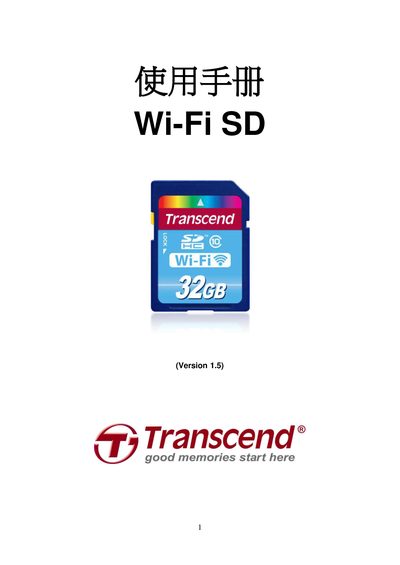
Transcend Wi‑Fi SD User Manual
This manual provides step‑by‑step instructions for using the Transcend Wi‑Fi SD card. It covers product features, system requirements, installing the free Wi‑Fi SD app on iOS and Android, and how to connect devices via instant‑share or internet mode.
Additional sections describe how to change settings, restore factory defaults, update firmware, view product specifications, and obtain warranty or support information. This manual is written in Chinese.
Covers: Product Introduction · Packaging Contents · Product Features · System Requirements · Install Wi‑Fi SD App · Using iOS and Android Devices
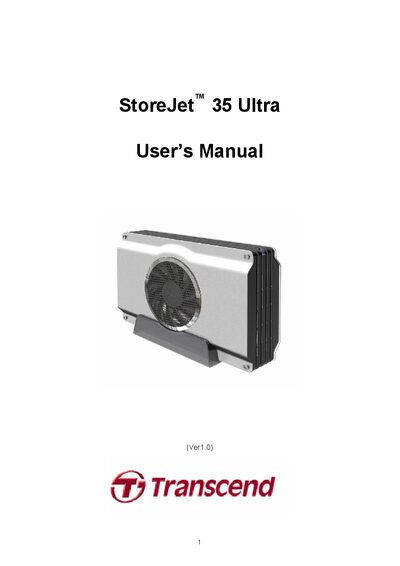
Transcend StoreJet 35 Ultra User Manual
The StoreJet 35 Ultra is an external 3.5" SATA hard‑drive enclosure with both eSATA and USB 2.0 interfaces, offering flexible high‑speed data transfer and a silent cooling fan. This manual explains the product’s features, safety guidelines, and required system specifications.
It covers installation of a hard drive, connecting the device to Windows, Mac, or Linux computers, formatting the drive, and troubleshooting common issues. Technical specifications such as dimensions, weight, power requirements, and transfer speeds are listed for reference.
Covers: Introduction · Features · System Requirements · Installing a Hard Drive · Connecting to a Computer · Formatting the Hard Drive
Latest Transcend manuals
Transcend StoreJet elite User Manual
User Manual 37 pages · 1.1 MB · ESUser guide for Transcend StoreJet elite software (v1.0.6) covering installation, configuration, synchronization, security and troubleshooting.
Transcend RecoveRx User Manual
User Manual 17 pages · 721 KB · ENThe Transcend RecoveRx User Manual provides step‑by‑step instructions for recovering deleted files, formatting and locking/unlocking memory cards.
Transcend Wi‑Fi SD User Manual
User Manual 59 pages · 3.7 MB · ZHThe Transcend Wi‑Fi SD user manual explains setup, app installation, connection methods, settings, firmware updates and troubleshooting.
Transcend StoreJet 35 Ultra User Manual
User Manual 26 pages · 2.5 MB · ENThe Transcend StoreJet 35 Ultra User Manual provides setup, operation, and troubleshooting instructions for this external storage enclosure.
Transcend TS-USL3 TS-USL3/N TS-USP3 TS-USP3/N USER S MANUAL Intel Socket 370 Celeron Pentium III CPU
This manual introduces the features and functions of the Transcend TS-USL3,TS-USL3/N TS-USP3,TS-USP3/N motherboard.
Transcend Portable Hard Drives SStoreJet 25 User Manual
StoreJet® 25 is a portable hard drive with high-speed USB storage capabilities, suitable for uploading, downloading, storing, and transferring data. It features a rugged and durable casing, making it ideal for carrying files, folders, documents, photos, music, and videos. The included software can enhance mobile productivity.
TRANSCEND User s Manual SSD Scope Software
Transcend® SSD Scope software is a very useful application that can help maintain a healthy working SSD by keeping it up-to-date, preventing functional degradation, and predicting possible future issues. The SSD Scope software suite offers many useful features, including View Drive Information, View S.M.A.R.T. Status, Diagnostic Scan, Secure Erase, Firmware Update, and TRIM Enable.
Transcend Elite Software User Manual
This manual introduces the functions and usage of the Transcend Elite software. The Elite software pack includes Backup, Restore, Backup Management, Encryption and PC-Lock features, which can help you increase work productivity by keeping important files organized, protected and up-to-date.
Transcend Transcend Compact Card Reader P/N:TS-RDS1/S2/S5/S6 User Manual
Transcend MP330 Digital Music Player User Manual
User Manual 35 pages · 845 KB · ZHThe Transcend MP330 digital music player user manual provides setup, operation, safety, and specifications for this portable MP3 player.
Transcend MP850 Audio Player User Manual
User Manual 59 pages · 2.8 MB · ZHThe Transcend MP850 user manual explains features, operation, and specifications for this portable audio, video and photo player.
Transcend PF700 Digital Photo Frame User Manual
User Manual 33 pages · 1.4 MB · ZHThe Transcend PF700 digital photo frame user manual provides setup, operation, and troubleshooting instructions.
Transcend MP320 User Manual
User Manual 41 pages · 1.2 MB · ENOfficial user manual for the Transcend MP320 portable music player, covering operation, specifications and support information.
Transcend MP870 Music Player User Manual
User Manual 73 pages · 3.3 MB · ZHThe Transcend MP870 music player user manual provides setup, operation, safety, and specifications for this portable audio device.
Transcend DMP10 Media Player User Manual
User Manual 28 pages · 3.5 MB · ENThe Transcend DMP10 media player user manual provides setup, operation, and specifications for the device.
Which document do I need?
User Manual
Day-to-day operation, settings and troubleshooting. Start here if the product is already set up.
Questions answered in Transcend manuals
What is the default Wi‑Fi password for the card?
The default password is 12345678.
How can I connect the StoreJet 35 Ultra to a computer?
It can be connected via USB 2.0 or eSATA by plugging the appropriate cable into the device and the computer, then turning on the power switch.
What is the maximum transfer speed of the StoreJet 35 Ultra?
Up to 3.0 Gbits per second over eSATA and 480 Mbits per second over USB 2.0.
How can I update the software on the PF700?
Insert a storage card that contains the new software, select the Software Update option in the Settings menu, and follow the on‑screen prompts to install the update.
How do I adjust the volume on the PF700?
Press the volume control button on the frame or remote, then use the up/down keys to increase or decrease the sound level.
What video resolutions does the DMP10 support?
The DMP10 supports NTSC, PAL, 480p, 576p, 720p, 1080i, and 1080p resolutions.