
Key facts
- Brand
- Transcend
- Model
- PF700
- Category
- Other Electronics
- Industry
- Electronics
- Documents
- 4
- Languages
- ZH · EN · JA
- Last added
- 2012-03-09
Start here
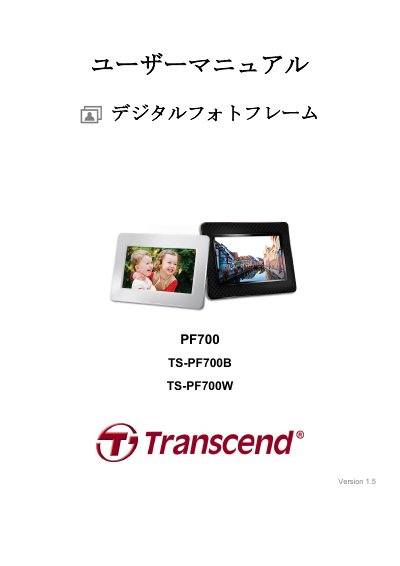
Transcend PF700/TS-PF700B/TS-PF700W Digital Photo Frame User Manual
The PF700 is a digital photo frame from Transcend that displays images and plays video and music from USB flash drives, memory cards, or internal memory. It has a 7-inch 16:9 TFT panel, stereo speakers, and controls on the back or a remote control. The package includes the frame, remote control with battery, tabletop stand, power adapter, USB cable, user manual CD, quick guide, and warranty card.
The manual explains setup, connecting a memory card or USB drive, and using photo view, thumbnail, and slideshow modes. It also lists supported formats and system requirements, safety and care instructions, and recycling information. It covers connecting to Windows, Mac, and Linux computers via USB. This manual is written in Japanese.
Transcend PF700 specifications
| Screen | 7" 16:9 TFT LCD, 480x234 pixels |
|---|---|
| USB Interfaces | Standard USB‑A x1; USB mini‑B x1 |
| Dimensions | 205 mm × 143 mm × 29 mm |
| Power Input | 100‑240 V 0.3 A, 5 V DC 2.0 A output |
| Operating Temperature | 0 °C – 40 °C |
| Supported Photo Format | DSC JPEG up to 9000 × 6750 |
| Supported Video Format | Motion JPEG (AVI & MOV) up to 720 × 480 @30 FPS |
| Supported Music Formats | MP3, WMA (no DRM), WAV |
All Transcend PF700 documents by type
Day-to-day operation, settings and troubleshooting. Start here if the product is already set up.
Questions answered in these manuals
How can I update the software on the PF700?
Insert a storage card that contains the new software, select the Software Update option in the Settings menu, and follow the on‑screen prompts to install the update.
How do I adjust the volume on the PF700?
Press the volume control button on the frame or remote, then use the up/down keys to increase or decrease the sound level.
What is the native resolution of the PF700 display?
The display has a native resolution of 480 × 234 pixels.
What is the maximum JPEG image size supported?
The PF700 supports JPEG images up to 9000 x 6750 pixels.
From: Transcend PF700/TS-PF700B/TS-PF700W Digital Photo Frame User Manual
What memory cards and USB drives can I use?
The frame supports SD/SDHC/MMC/MS memory cards and USB flash drives.
From: Transcend PF700/TS-PF700B/TS-PF700W Digital Photo Frame User Manual
What operating systems are supported?
Windows® 2000, XP, Vista and 7; Mac® OS 10.0 or later; Linux® Kernel 2.4 or later.
From: Transcend PF700 TS-PF700B TS-PF700Wdigital frame Manual