
Key facts
- Brand
- Panasonic
- Model
- WV-SF448/WV-SF448E
- Category
- Other Electronics
- Industry
- Electronics
- Documents
- 2
- Languages
- RU · ES
- Last added
- 2026-11-23
Start here
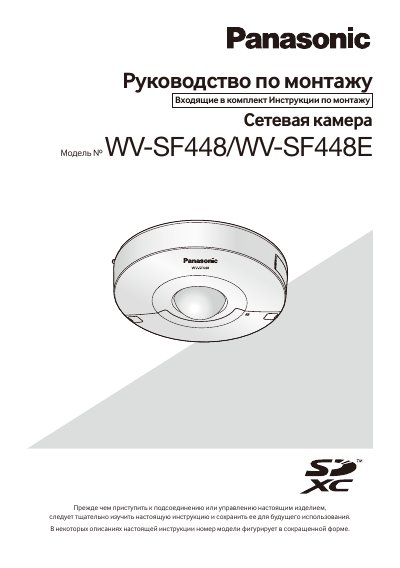
Panasonic WV-SF448/WV-SF448E Network Camera User Manual
This manual provides instructions for the installation, configuration, and operation of the Panasonic WV-SF448 and WV-SF448E network cameras. It includes safety precautions, system requirements for PC monitoring, and details on connecting the device to a network. The document covers both the P-model (WV-SF448) and E-model (WV-SF448E) variants. This manual is written in Russian.
Read onlinePanasonic WV-SF448/WV-SF448E specifications
| Network Interface | 10BASE-T/100BASE-TX |
|---|---|
| CPU Recommendation | Intel Core 2 Duo 2.4 GHz or higher |
| Memory Requirement | 512 MB or more (1 GB for Windows 8/7/Vista) |
| Monitor Resolution | 1024 x 768 pixels or higher |
| Color Depth | 24-bit True colour or better |
| Web Browser Support | Internet Explorer 7.0 to 10.0 (32-bit) |
Source: Panasonic WV-SF448/WV-SF448E Network Camera User Manual
All Panasonic WV-SF448/WV-SF448E documents by type
Day-to-day operation, settings and troubleshooting. Start here if the product is already set up.
Mounting, wiring and first power-up. Read it before the hardware goes in.
Questions answered in these manuals
Which models are covered by this manual?
This manual covers the WV-SF448 (P-model) and WV-SF448E (E-model) network cameras.
From: Panasonic WV-SF448/WV-SF448E Network Camera User Manual
What operating systems are supported for PC monitoring?
Supported operating systems include Microsoft Windows 8, Windows 7, Windows Vista, and Windows XP SP3.
From: Panasonic WV-SF448/WV-SF448E Network Camera User Manual
What are the system requirements for a PC to use the camera?
The PC should have an Intel Core 2 Duo 2.4 GHz or higher CPU, at least 512 MB RAM (1 GB for Windows 8/7/Vista), a 10BASE-T/100BASE-TX network port, a sound card for audio, a monitor with 1024x768 resolution and 24-bit color, and a compatible Windows OS with Internet Explorer 7-10 (32-bit).
From: Panasonic WV-SF448/WV-SF448E Network Camera Installation Guide
Which models are covered by this installation guide?
The guide covers both the WV-SF448 (model P) and WV-SF448E (model E) network cameras.
From: Panasonic WV-SF448/WV-SF448E Network Camera Installation Guide