
Key facts
- Brand
- Panasonic
- Model
- AW-UE70WP
- Category
- Other Electronics
- Industry
- Electronics
- Documents
- 2
- Languages
- EN
- Last added
- 2026-11-19
Start here
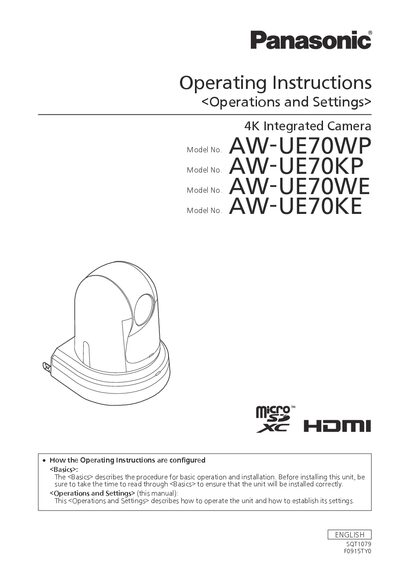
Panasonic AW-UE70WP / AW-UE70KP / AW-UE70WE / AW-UE70KE 4K Integrated Camera Operating Instructions
This manual provides step‑by‑step guidance for installing and operating the Panasonic AW‑UE70 series 4K integrated cameras with pan‑tilt heads. It covers basic setup, required PC environment, network security, and detailed procedures for power control, priority modes, and remote controller usage.
Advanced sections describe the camera menu, shooting mode selection, image adjustments, recording to SD cards, IP and HDMI streaming, and troubleshooting. The document also includes specifications, firmware update instructions, and maintenance screens to help users get the most out of the camera in various production environments.
Panasonic AW-UE70WP specifications
| Sensor | 1/2.3-type MOS |
|---|---|
| Optical zoom | 20× |
| Digital zoom | 12× |
| i.Zoom maximum | 30× (22× in 4K mode) |
| HDMI output | Supported |
| SDI output | Supported |
| Full HD frame rate | up to 60 fps |
| 4K frame rate | up to 30 fps |
| Night mode | Available |
Source: Panasonic AW-UE70WP / AW-UE70KP / AW-UE70WE / AW-UE70KE 4K Integrated Camera Operating Instructions
All Panasonic AW-UE70WP documents by type
Day-to-day operation, settings and troubleshooting. Start here if the product is already set up.
Questions answered in these manuals
What mounting equipment is this camera intended for use with?
It is intended for use only with the Mount Bracket enclosed with the unit and the Panasonic Direct Ceiling Mount Bracket, WV-Q105A.
From: Panasonic AW-UE70WP 4K Integrated Camera Operating Instructions
Who should perform installation of this apparatus?
Installation should only be performed by qualified installation personnel.
From: Panasonic AW-UE70WP 4K Integrated Camera Operating Instructions
How do I turn the power on?
Select the unit with the remote control, then press the [ON/STANDBY] button for 2 seconds; the status lamp will turn green and the camera powers on.
From: Panasonic AW-UE70WP / AW-UE70KP / AW-UE70WE / AW-UE70KE 4K Integrated Camera Operating Instructions
What shooting modes are available?
The camera provides four preset shooting modes: Full Auto, Manual1, Manual2, and Manual3, selectable via the menu or remote control.
From: Panasonic AW-UE70WP / AW-UE70KP / AW-UE70WE / AW-UE70KE 4K Integrated Camera Operating Instructions