
Key facts
Start here
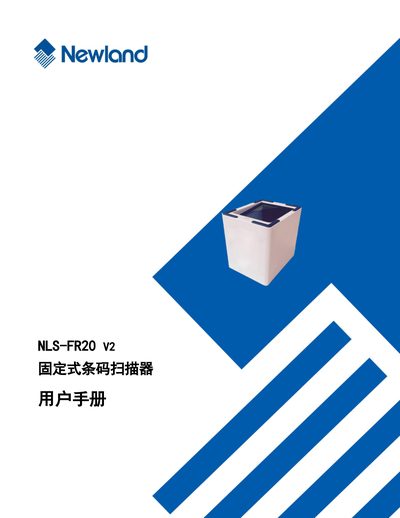
Newland NLS-FR20 V2 Fixed Barcode Scanner User Manual
This manual provides an overview of the NLS-FR20 V2 fixed barcode scanner, including its physical dimensions, connector definitions, and basic operation such as power on, standby, shutdown, and restart.
It also details system settings, RS‑232 and USB communication configuration, LED and sound alerts, and extensive barcode parameter options for various symbologies. This manual is written in Chinese.
Newland NLS-FR20 specifications
| Processor | IOTC 0370 CHIP |
|---|---|
| Interface | RS-232 (9.6~115.2Kbps) |
| USB interface | USB 1.1 (HID-KBW, HID-POS) |
| Image Sensor | 640×480 CMOS |
| Scan Mode | Sense mode, Continuous mode |
| Resolution | 10 mil |
| Light Source | White LED |
| Scan Window | 52mm*69mm |
| Power Consumption | 1W (max.) |
| Dimensions | 127.3mm(L) X 111.5mm (W) X 94mm(H) |
| Weight | 300g |
| Operating Temperature | -10℃ to + 50℃ |
| Certification | FCC Part15 Class B, CE EMC Class B |
All Newland NLS-FR20 documents by type
Day-to-day operation, settings and troubleshooting. Start here if the product is already set up.
Questions answered in these manuals
What is included in the standard package for the NLS-FR20 Series?
The standard package includes one NLS-FR20 Series fixed barcode scanner, one USB interface data communication cable, and one quick start guide.
From: Newland NLS-FR20 Series Fixed Barcode Scanner User Manual
What optional accessories are available for this scanner?
Optional configurations include one RS-232 serial port data communication cable and one DC5V power adapter.
From: Newland NLS-FR20 Series Fixed Barcode Scanner User Manual
What communication interfaces does the NLS-FR20 V2 support?
The scanner supports both USB and RS‑232 interfaces for data transmission.
How can the scanner be powered on or off?
The manual includes a section on power operations covering power on, standby, shutdown, and restart.
What is included in the standard configuration?
The standard configuration includes the NLS-FR20 desktop barcode scanner, a USB cable, and a Quick Start Guide.
What interfaces does the scanner support?
It supports RS-232 (9.6~115.2Kbps) and USB 1.1 (HID-KBW, HID-POS).