
Key facts
- Brand
- Newland
- Model
- HR22
- Category
- Other device
- Industry
- Industrial
- Documents
- 3
- Languages
- ZH
- Last added
- 2026-09-29
Start here
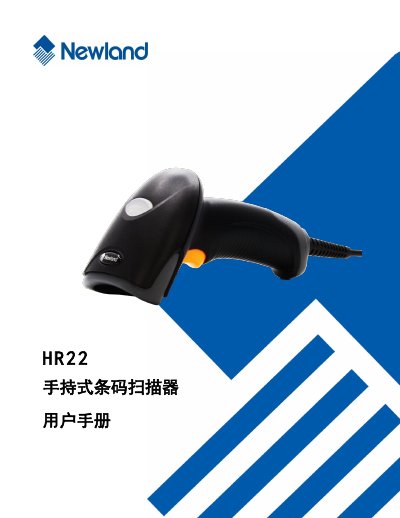
Newland HR22 Handheld Barcode Scanner User Manual
The document serves as a comprehensive user guide for the Newland HR22 handheld barcode scanner. It covers essential topics including product introduction, physical appearance, and various methods of connecting the device to a host computer via USB, RS-232, or PS/2 interfaces.
Detailed instructions are provided for configuring communication parameters such as baud rate, parity, and data bits. The manual also explains how to set up different scanning modes (continuous, manual, batch processing) and configure specific barcode symbologies like Code 128, QR Code, and Data Matrix. This manual is written in Chinese.
Newland HR22 specifications
| Dimensions (Handheld) | 17.0 × 7.0 × 8.3 cm |
|---|---|
| Weight (Handheld) | 201 g |
| Battery Capacity | 1300 mAh Li‑ion |
| Battery Charging Time | ≈ 9 hours to >80 % capacity |
| Operating Temperature | 0 °C – 50 °C |
| Storage Temperature | -40 °C – 60 °C |
| Humidity Range | 5 % – 95 % (no condensation) |
| Input Voltage (Handheld) | 4.75 V – 6.5 V DC |
| Standby Time | > 7 days per charge |
| Scanning Angle | 45°, 45°, 360° (left/right, front/back, rotation) |
| Wireless Frequency | 430.5 – 432.0 MHz, 433.05 – 434.79 MHz |
| Maximum Communication Distance | > 100 m (line‑of‑sight) |
Source: Newland NLS-HR2280 series Wireless bar code reader user manual
All Newland HR22 documents by type
Day-to-day operation, settings and troubleshooting. Start here if the product is already set up.
Questions answered in these manuals
How can the HR22 be connected to a host computer?
The scanner can be connected via a USB data cable, an RS‑232 cable, or a PS/2 cable.
How do I restore the HR22 to factory default settings?
Select the restore default option in the menu to reset all settings to the factory defaults.
What is the Newland HR22?
The Newland HR22 is a handheld barcode scanner.
What are the dimensions of the HR22 scanner?
The manual includes a section with the appearance and dimensions of the scanner.
How long does it take to fully charge the battery?
Charging the battery to more than 80 % capacity requires about 9 hours.
From: Newland NLS-HR2280 series Wireless bar code reader user manual
What temperature range can the reader operate in?
The device works from 0 °C up to 50 °C.
From: Newland NLS-HR2280 series Wireless bar code reader user manual