
Key facts
- Brand
- Newland
- Model
- NLS-OY20-RF
- Category
- Scanner
- Industry
- Electronics
- Documents
- 2
- Languages
- ZH
- Last added
- 2026-10-12
Start here
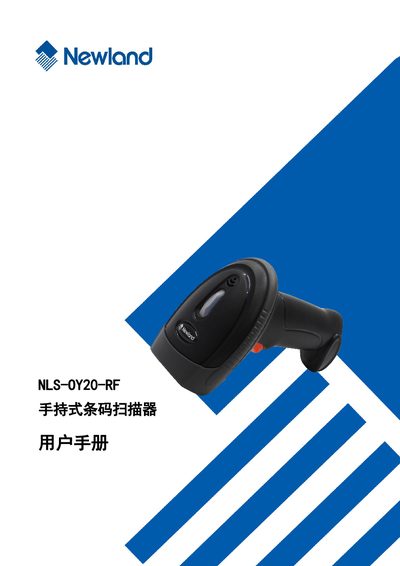
Newland NLS-OY20-RF Handheld Barcode Scanner User Manual
The document serves as a user guide for the Newland NLS-OY20-RF 2D handheld barcode scanner. It details how to operate the device, including turning it on/off via trigger activation and entering low-power sleep mode automatically after inactivity.
A significant portion of the manual is dedicated to system configuration using specific setting barcodes. Users can adjust settings for illumination, sound alerts, decoding modes (manual vs. automatic), communication interfaces, and detailed barcode parameter configurations for various symbologies such as Code128, QR, DataMatrix, and PDF417. This manual is written in Chinese.
Newland NLS-OY20-RF specifications
| Product Type | 2D Handheld Barcode Scanner |
|---|---|
| Supported 1D Barcodes | Code 128, UCC/EAN-128, EAN-8, EAN-13, UPC-A, UPC-E, Interleaved 2 of 5, ITF-6, ITF-14, Code 39, Codabar, Code 93, Code 11, Plessey, MSI-Plessey |
| Supported 2D Barcodes | PDF417, Data Matrix, QR (QR1, QR2, Micro QR), Hanxin Code |
| Special Reading Capability | LCD Display and Mobile Phone Screen Barcodes |
Source: Newland NLS-OY20-RF Handheld Barcode Scanner User Manual
All Newland NLS-OY20-RF documents by type
Day-to-day operation, settings and troubleshooting. Start here if the product is already set up.
Questions answered in these manuals
What types of barcodes can the NLS-OY20-RF scanner read?
The scanner can read various mainstream one-dimensional barcodes, PDF417, QRCode (QR1, QR2, MicroQR), and DataMatrix versions, as well as barcodes displayed on LCD screens or mobile phone screens.
From: Newland NLS-OY20-RF Handheld Barcode Scanner User Manual
How does the scanner turn on and pair with a host?
To turn on and pair, connect the scanner's wireless receiver to the host and press the trigger.
From: Newland NLS-OY20-RF Handheld Barcode Scanner User Manual
How do I turn on the scanner?
Connect the wireless receiver to the host and press the trigger while scanning a barcode to automatically power on and pair.
From: Newland NLS-OY20-RF Handheld Barcode Scanner User Manual
How do I turn off the scanner?
The device does not have a dedicated power-off button; it automatically enters a low-power sleep mode after inactivity.
From: Newland NLS-OY20-RF Handheld Barcode Scanner User Manual