
Key facts
- Brand
- Haier
- Model
- MGM-G5
- Category
- Television
- Industry
- Appliances
- Documents
- 4
- Languages
- ZH
- Last added
- 2012-03-16
Start here
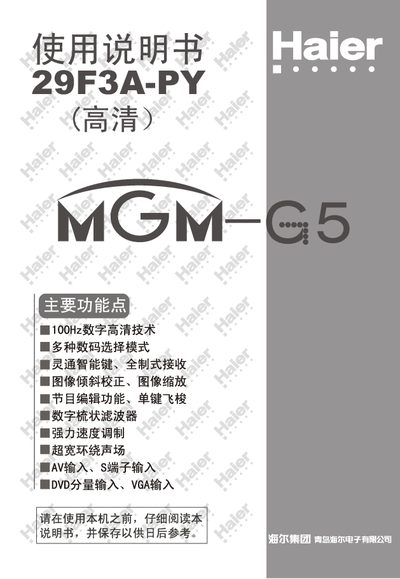
Haier 29F3A-PY MGM-G5 color Television receive machine Manual
This manual provides safety instructions, quick start steps, and detailed operating procedures for the Haier 29F3A-PY color TV. It covers remote‑control setup, antenna connection, input/output interfaces, picture and sound adjustments, channel tuning, timer functions, and maintenance guidelines.
The document also includes a troubleshooting guide for common issues such as picture distortion, audio noise, and power problems, plus a specification table summarizing key technical data of the television. This manual is written in Chinese.
Haier MGM-G5 specifications
| Model | 29F3A-N |
|---|---|
| Color System | PAL, NTSC, SECAM |
| Screen Size | 29" (68 cm) |
| Power Supply Voltage | 180‑250 V 50/60 Hz |
| Power Consumption | 200 W |
Source: Haier 29F3A-N MGM-G5 color Television receive machine Manual
All Haier MGM-G5 documents by type
Day-to-day operation, settings and troubleshooting. Start here if the product is already set up.
Questions answered in these manuals
How do I connect the antenna?
Insert the antenna plug into the rear antenna connector and then connect the power cord to the AC outlet.
From: Haier 29F3A-N MGM-G5 color Television receive machine Manual
What should I check if the TV has no power?
Verify that the power cord is plugged in and that the power switch is turned on.
From: Haier 29F3A-N MGM-G5 color Television receive machine Manual
How do I start an automatic channel search?
Press and hold the numeric key 1 on the remote for about 6 seconds; the TV will begin automatic channel scanning.
From: Haier 21F3A-T 21T3A-T MGM-G5 color Television receive machine Manual
How do I start an automatic channel search?
Press and hold the numeric key 1 on the remote for about 6 seconds; the TV will begin auto‑searching for channels.
From: Haier 25F3A-T 25T3A-T MGM-G5 color Television receive machine Manual
How should I connect the antenna cable?
Insert the antenna plug into the rear antenna terminal and then plug the power cord into a 220 V AC outlet.
From: Haier 25F3A-T 25T3A-T MGM-G5 color Television receive machine Manual
How do I perform automatic channel tuning?
Press the numeric key 1 on the remote control and hold it for about 6 seconds; the TV will start automatic channel tuning.
From: Haier 29F3A-PY MGM-G5 color Television receive machine Manual