
Key facts
- Brand
- Fanvil
- Model
- i16V
- Category
- Other Electronics
- Industry
- Electronics
- Documents
- 3
- Languages
- EN
- Last added
- 2026-11-05
Start here
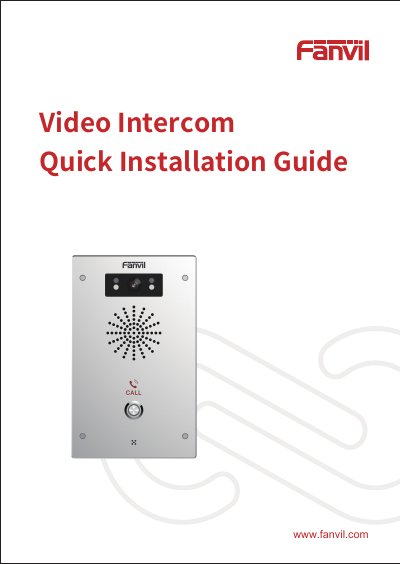
Fanvil i16V Video Intercom Quick Installation Guide
The Fanvil i16V Video Intercom features a compact design measuring 195 x 120 x 34 mm and includes components such as an IR LED, speaker, camera, DSS key, and microphone. The device supports a standard RJ45 Ethernet interface for 10/100M adaptive networking and provides various input and output ports for connecting switches, sensors, electric locks, and alarms.
Read onlineFanvil i16V specifications
| Device size | 195 x 120 x 34 (mm) |
|---|---|
| Ethernet interface | standard RJ45 interface, 10/100M adaptive |
| Power input | 12V/1A |
All Fanvil i16V documents by type
The shortest path to a working setup, usually only a few pages.
Mounting, wiring and first power-up. Read it before the hardware goes in.
Day-to-day operation, settings and troubleshooting. Start here if the product is already set up.
Questions answered in these manuals
How do I search for the device IP address?
You can use the iDoorPhone Network Scanner tool or press the DSS key to broadcast the IP address.
What are the default login credentials?
The default user name and password are both admin.
What is the default login for the web interface?
The default username and password are both 'admin'.
How do I configure SIP accounts?
Set the SIP server address, port, username, password, and SIP user, then enable registration and click Apply.
What happens if I connect both a POE switch and a power adapter?
The power adapter will be used in priority and will only switch to POE power supply if the adapter fails.
From: Fanvil i16V & i32V SIP Visual Intercom User Manual
How can I reboot the device?
You can restart the device via the webpage by clicking [ System ] >> [ Tools ] >> [ Reboot Phone ], or by directly unplugging the power.
From: Fanvil i16V & i32V SIP Visual Intercom User Manual