
Key facts
- Brand
- Fanvil
- Model
- X6U
- Documents
- 2
- Languages
- EN
- Last added
- 2023-10-21
Start here
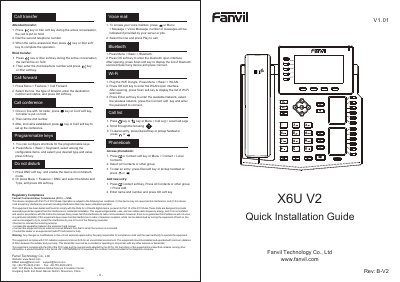
Fanvil X6U V2 IP Phone Quick Installation Guide
This guide walks you through installing and configuring the Fanvil X6U V2 IP phone. It covers basic operations like making and receiving calls, using programmable keys, and setting up Wi-Fi and Bluetooth. Configuration can be done via the phone’s LCD menu or through a web browser using the phone’s IP address. The guide also includes setup for headset and hands-free modes, call forwarding, and DND settings.
Read onlineAll Fanvil X6U documents by type
Day-to-day operation, settings and troubleshooting. Start here if the product is already set up.
The shortest path to a working setup, usually only a few pages.
Questions answered in these manuals
How do I reboot the device?
Users can reboot the device from the soft-menu by selecting [Menu]>>[Basic]>>[RebootSystem] and confirming with [OK], or by removing the power supply.
How do I reset the device to factory default?
To perform a factory default reset, press [Menu]>>[Advanced], input the password, choose [FactoryReset], press [Enter], and confirm with [OK].
How do I configure the phone via web?
Log in to the phone’s IP address in a web browser; default username and password are both 'admin'.
What is the default password for the LCD menu?
The default password is '123'.