
Dell OptiPlex 5055 Tower Desktop Computer Quick Start Guide

Dell OptiPlex 5055 Tower Quick Start Guide
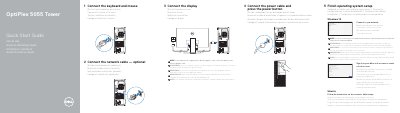

Dell OptiPlex 5055 Tower Desktop Computer Quick Start Guide - cover page
Brand
DELL
Category
Desktops
Document type
Quick Start Guide
Language
English
Pages
2
File format
PDF
File size
307 KB
Published
24 November, 2023
Updated
24 November, 2023
MD5 checksum
60CB79577C1F5FF95232C7E922B37BE8

About this manual

This Quick Start Guide covers initial setup of the Dell OptiPlex 5055 Tower desktop computer, including connecting the keyboard, mouse, network cable, display, and power cable.

It also explains finishing Windows 10 or Ubuntu setup, connecting to a network, signing in to a Microsoft account, locating Dell apps, and using SupportAssist to check and update the computer.

What's inside

  • Connect the keyboard and mouse
  • Connect the network cable
  • Connect the display
  • Connect the power cable and press the power button
  • Finish operating system setup
  • Locate Dell apps
  • SupportAssist
  • Features
  • Product support and manuals
  • Contact Dell

Specifications

Computer modelOptiPlex 5055 Tower
Optical driveOptional
Memory card readerOptional
USB 3.1 Gen1 portsIncluded
Network portIncluded
Regulatory modelD18M
Regulatory typeD18M004

Frequently asked questions

Is the optical drive optional?

Yes, the optical drive is optional.

Is connecting the network cable optional?

Yes, connecting the network cable is optional.

Do USB 2.0 ports support Smart Power On?

Yes, USB 2.0 ports support Smart Power On.

Where can users find product support and manuals?

Users can find product support and manuals at Dell.com/support/manuals.

Download PDF (307 KB)

More DELL Manuals


View all DELL manuals →