
Dell OptiPlex 5055 Tower Quick Start Guide

OptiPlex 5055 Tower Quick Start Guide
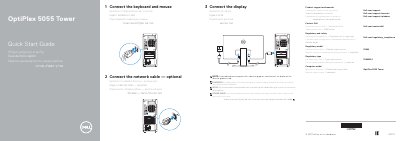

Dell OptiPlex 5055 Tower Quick Start Guide - cover page
Brand
DELL
Category
Desktops
Document type
Quick Start Guide
Language
English
Pages
2
File format
PDF
File size
327 KB
Published
24 November, 2023
Updated
24 November, 2023
MD5 checksum
BF67E5579F6574B0285AAD92DC4ABDAF

About this manual

Dell OptiPlex 5055 Tower Quick Start Guide is a short setup document for the Dell OptiPlex 5055 Tower desktop computer. It shows the basic connection sequence for keyboard, mouse, optional network cable, display, and power, and includes a numbered feature diagram for the system's ports and controls.

It also lists product support and manual links, regulatory identifiers, and safety information. The guide presents the same instructions and feature labels in English, Greek, Portuguese, Russian, and Hebrew.

What's inside

  • Connect the keyboard and mouse
  • Connect the network cable — optional
  • Connect the display
  • Connect the power cable and press the power button
  • Features
  • Product support and manuals
  • Regulatory and safety

Specifications

Computer modelOptiPlex 5055 Tower
Regulatory modelD18M
Regulatory typeD18M004
Internal bay5.25-inch

Frequently asked questions

What should I do if the computer has a discrete graphics card?

Connect the display to the discrete graphics card.

Where can I find Dell product support and manuals?

Use Dell.com/support and Dell.com/support/manuals.

What is the regulatory model of this computer?

The regulatory model is D18M.

What is the regulatory type of this computer?

The regulatory type is D18M004.

Download PDF (327 KB)

More DELL Manuals


View all DELL manuals →