
Dell Latitude 7212 Rugged Extreme Tablet Quick Start Guide

The Dell Latitude 7212 Rugged Extreme Tablet is a rugged tablet that is designed for use in harsh environments. It features the following:
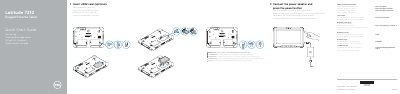

Dell Latitude 7212 Rugged Extreme Tablet Quick Start Guide - cover page
Brand
DELL
Category
Tablets
Document type
Quick Start Guide
Language
English
Pages
2
File format
PDF
File size
249 KB
Published
22 November, 2023
Updated
22 November, 2023
MD5 checksum
AF541050DC3CFB0E7B5A5E261FDE347B

About this manual

This document serves as a Quick Start Guide for the Dell Latitude 7212 Rugged Extreme Tablet. It provides initial setup instructions in multiple languages, including connecting the power adapter and inserting the uSIM card. The guide emphasizes ensuring the card is correctly aligned and inserted fully.

What's inside

  • Connect the power adapter
  • Insert uSIM card
  • Features
  • Removing Battery
  • Product support and manuals
  • Regulatory and safety

Frequently asked questions

What distance should be kept between the tablet's screen-side and the user's body when a transmitter is active?

Keep the tablet computer's screen-side at 15 mm (0.59 inches) or greater distance from the user's body.

Which sides of the tablet can be used in close contact with the user's body?

The other 5 sides of the product are a Dell specified usable orientation and can be used in close contact to the user's body.

How do you access the uSIM card slot?

Remove the battery to access the uSIM card slot.

Where is the Rugged Control Center software available?

The Rugged Control Center software for the Rugged Tablet is available at Dell.com/support.

Download PDF (249 KB)

More DELL Manuals


View all DELL manuals →