
The Dell Latitude 7212 Rugged Extreme Tablet is a rugged tablet that is designed for use in harsh environments. It features the following:
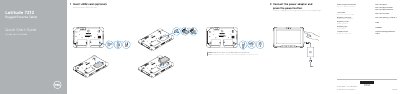
This document serves as a Quick Start Guide for the Dell Latitude 7212 Rugged Extreme Tablet. It outlines the initial setup process, which involves connecting the power adapter and inserting a uSIM card if desired. The guide also directs users to Dell's support website for additional product support, manuals, and the Rugged Control Center software.
| Battery Model | FWRM8 |
|---|---|
| Battery Voltage | 7.4Vdc |
| Battery Capacity | 30Wh |
| Charger Model | PA-1300-04 |
The Rugged Control Center software is available at Dell.com/support.
The screen-side should be kept at 15 mm (0.59 inches) or greater distance from the user's body when a transmitter is active.