
The Dell Latitude 3480 is a mobile thin client with the following features:
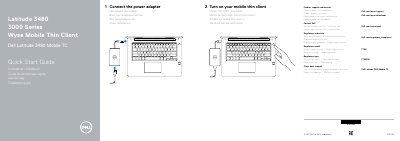
This is Dell's multilingual quick start guide for the Latitude 3480 Mobile TC, a 3000 Series Wyse mobile thin client. The first page shows the two start-up steps: connecting the power adapter and turning on the mobile thin client, followed by links for product support, manuals, contacting Dell and regulatory and safety information.
The second page is a feature tour with numbered callouts for both the standard and the Touch version of the client, covering the camera and microphone area, power button, security-cable slot, ports, card reader, optional fingerprint reader, speakers, touchpad and the Service Tag label. The regulatory model shown is P79G (regulatory type P79G001).
| Video output | VGA port |
|---|---|
| USB ports | USB 2.0 port and USB 3.0 port |
| Charging USB port | USB 3.0 port with PowerShare |
| Display output | HDMI port |
| Networking | Network port |
| Card reader | Memory card reader |
| Audio | Headset/microphone combo jack |
| Security | Noble Wedge security-cable slot |
| Fingerprint reader | Optional |
| Infrared emitter and camera | Touch version only |
Connect the power adapter, then turn on the mobile thin client with the power button.
Dell points to Dell.com/wyse/support for product support and manuals and Dell.com/wyse/downloads for downloads.
The guide refers to Dell.com/regulatory_compliance for regulatory and safety information.
It has VGA, USB 2.0, USB 3.0, USB 3.0 with PowerShare, HDMI, network and power adapter ports, plus a memory card reader and a headset/microphone combo jack.