
The Latitude 3380 Quick Start Guide provides instructions on how to connect the power adapter and press the power button, finish operating system setup, connect to your network, and install the SIM card.
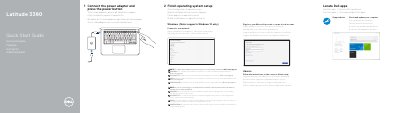
This guide helps you power on and set up your Dell Latitude 3380 laptop. Connect the power adapter, then follow on-screen prompts to complete operating system setup. Connect to your network and sign in to your Microsoft account or create a local account. The guide also lists hardware features like camera, microphone, USB ports, and battery status light.
For SIM card installation or advanced support, refer to the Owner’s Manual at Dell.com/support. The guide includes multilingual instructions for setup and features, with translations in Danish, Finnish, Norwegian, Swedish, and others.
The device supports Windows 10 only.
You must see the Owner's Manual at Dell.com/support.