
Dell Latitude 3380 Quick Start Guide

The Dell Latitude 3380 Quick Start Guide provides information on how to use the Dell Latitude 3380 laptop.
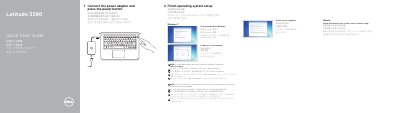

Dell Latitude 3380 Quick Start Guide - cover page
Brand
DELL
Category
Laptops
Document type
User Manual
Language
English
Pages
2
File format
PDF
File size
926 KB
Published
22 November, 2023
Updated
22 November, 2023
MD5 checksum
564264AD1B895F34895637AB2ECDDD13

About this manual

This document serves as a Quick Start Guide for the Dell Latitude 3380 laptop. It outlines the initial steps required to set up the device, such as connecting the power adapter, pressing the power button, and configuring the operating system. The guide includes specific instructions for Windows setup and notes that users should refer to the Owner's Manual for SIM card installation.

What's inside

  • Finish operating system setup
  • Connect the power adapter
  • Set a password for Windows
  • Connect to your network
  • Protect your computer
  • Features
  • Product support and manuals
  • Regulatory and safety

Specifications

Rated Voltage100 - 240 Volts
Rated Frequency50 - 60 Hertz

Frequently asked questions

Where can I find SIM card installation instructions?

Please see the Owner's Manual at Dell.com/support.

What should I do if I am connecting to a secured wireless network?

Enter the password for the wireless network access when prompted.

Download PDF (926 KB)

More DELL Manuals


View all DELL manuals →