
Key facts
Start here
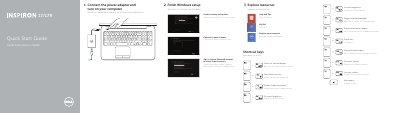
Dell Inspiron 17/17R Laptop Quick Start Guide
This document serves as a Quick Start Guide for the Dell Inspiron 17/17R laptop. It outlines the initial steps required to finish Windows setup, explore system resources, and configure essential settings such as network connections, wireless functionality, and touchpad controls. The guide also includes instructions for registering the computer and enabling security updates.
Read onlineDell Inspiron 17 specifications
| Computer model | Inspiron 3721/5721 |
|---|---|
| Regulatory model | P17E |
| Regulatory type | P17E001 |
All Dell Inspiron 17 documents by type
Disassembly, diagnostics and part numbers, for repair.
- Dell Inspiron 17/17R Laptop Service Manual 77 p
- Dell Inspiron 17/17R Notebook Owner's Manual 71 p
- Dell Inspiron 17/17R Laptop Owner's Manual 76 p
- Dell Inspiron 17/17R Owner's Manual 71 p
- Dell Inspiron 17R-5720/17R-7720 Owner's Manual 102 p
- Dell Inspiron 17 5000 Series Service Manual 93 p
- Dell Vostro 1700 and Inspiron 1720/1721 Laptop Service Manual 67 p
- Dell Inspiron 17 5000 Series Owner's Manual 93 p
- Dell Inspiron 17 P04E Service Manual 53 p
The shortest path to a working setup, usually only a few pages.
Day-to-day operation, settings and troubleshooting. Start here if the product is already set up.
Questions answered in these manuals
Which computer models does this manual cover?
It covers the Dell Inspiron 17/17R, specifically computer models Inspiron 3721/5721.
What tools are recommended for the procedures in this manual?
The procedures may require a Phillips screwdriver and a plastic scribe.
How do I switch to an external display?
Press the shortcut key combination to switch to an external display.
How do I toggle the keyboard backlight?
Use the shortcut key combination to toggle the keyboard backlight on or off.
What tools are needed to work inside the computer?
A Phillips screwdriver and a plastic scribe.
From: Dell Inspiron 17/17R (3721/5721/3737/5737) User Manual
What should I do before working inside the computer?
Save and close all open files, exit programs, shut down, then disconnect power, cables, and peripherals.
From: Dell Inspiron 17/17R (3721/5721/3737/5737) User Manual