
Dell Inspiron 17/17R Laptop Quick Start Guide

The Dell Inspiron 17/17R laptop quick start guide introduces the various parts, functions and how to use the laptop.
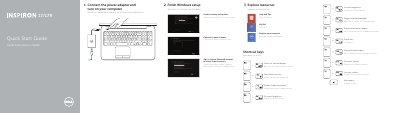

Dell Inspiron 17/17R Laptop Quick Start Guide - cover page
Brand
DELL
Category
Laptops
Document type
Quick Start Guide
Language
English
Pages
2
File format
PDF
File size
122 KB
Published
25 November, 2023
Updated
25 November, 2023
MD5 checksum
F24FDE063C25A814BFA277BB5CBAD560

About this manual

This document serves as a Quick Start Guide for the Dell Inspiron 17/17R laptop. It outlines the initial steps required to finish Windows setup, explore system resources, and configure essential settings such as network connections, wireless functionality, and touchpad controls. The guide also includes instructions for registering the computer and enabling security updates.

What's inside

  • Finish Windows setup
  • Explore resources
  • Shortcut keys
  • Connect the power adapter
  • Enable security and updates
  • Features
  • Product support and manuals
  • Regulatory and safety

Specifications

USB 3.0 ports2
USB 2.0 ports2

Frequently asked questions

How do I switch to an external display?

Press the shortcut key combination to switch to an external display.

How do I toggle the keyboard backlight?

Use the shortcut key combination to toggle the keyboard backlight on or off.

Where can I find product support and manuals?

You can find support and manuals at dell.com/support or dell.com/support/manuals.

Download PDF (122 KB)

More DELL Manuals


View all DELL manuals →