
Key facts
- Brand
- DELL
- Model
- HV03T
- Category
- MP3 Player
- Documents
- 2
- Languages
- EN
- Last added
- 2023-11-25
Start here
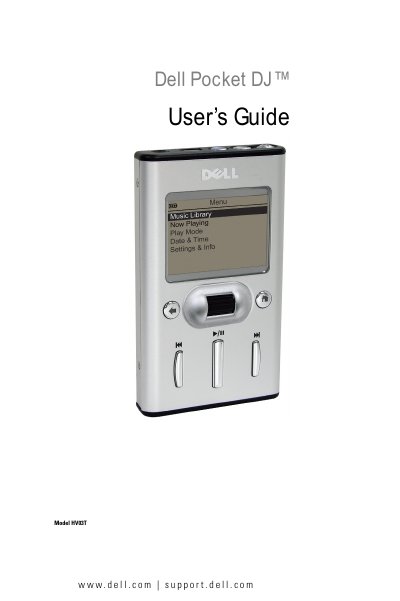
Dell HV03T Pocket DJ User's Guide
The Dell HV03T Pocket DJ is a portable digital music player with a 5 GB hard drive, LCD display, and USB 2.0/1.1 connectivity. This user guide provides instructions for initial setup, charging the integrated lithium-ion battery, installing the included Musicmatch® and Dell DJ Explorer software, and connecting the device to a computer.
It explains how to play and manage music using the Music Library, create playlists, adjust settings such as EQ and backlight, and transfer data files. The guide also covers performing a reset, troubleshooting common issues, and includes hardware specifications and a glossary of terms.
Dell HV03T specifications
| Display | LCD 160 x 104 resolution blue EL backlight |
|---|---|
| Storage media | 5 GB HDD |
| Battery | Embedded lithium-ion |
| AC-in power | 5V ±5%, 1.0A |
| Computer connection | USB 2.0/1.1 |
| Signal-to-noise ratio | up to 94 dB |
| Channel separation | up to 65 dB |
| Frequency response | 20 Hz–20 kHz (line-out), 24 Hz–20 kHz (headphones) |
| Harmonic distortion | < 0.1% |
| Playtime | up to 10 hours (128 kbps MP3 continuous playback) |
All Dell HV03T documents by type
Day-to-day operation, settings and troubleshooting. Start here if the product is already set up.
Questions answered in these manuals
How do I charge the battery for the first time?
Connect the USB charger cable to the device and an electrical outlet, and charge for at least 2.5 hours before first use.
How do I reset the Dell Pocket DJ?
Press the reset button on the device as described in the 'Performing a Reset' section.