
Dell Bluetooth Keyboard Folio WK415 Quick Start Guide

Dell Bluetooth Keyboard Folio WK415 Quick Start Guide.
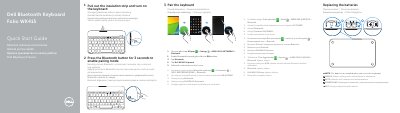

Dell Bluetooth Keyboard Folio WK415 Quick Start Guide - cover page
Brand
DELL
Category
Other Computer Accessories
Document type
Quick Start Guide
Language
MUL
Pages
2
File format
PDF
File size
419 KB
Published
22 November, 2023
Updated
22 November, 2023
MD5 checksum
BAB4A94769EC4C4846CC2BF7C20D5586

About this manual

This quick start guide is for the Dell Bluetooth Keyboard Folio WK415. It explains how to remove the insulation strip, turn on the keyboard, and pair it with a tablet over Bluetooth.

It also identifies the keyboard shortcut keys, notes that batteries are installed when the keyboard is received, and lists the regulatory model and type.

What's inside

  • Pair the keyboard
  • Replacing the batteries
  • Shortcut Keys
  • Features
  • Regulatory and safety
  • Product support and manuals

Specifications

Regulatory model/typeK07M / K07M001

Frequently asked questions

How do I pair the Dell WK415 keyboard with a tablet?

Press the Bluetooth button for 3 seconds to enable pairing mode, then enable Bluetooth on the tablet and select Dell WK415 Keyboard.

Are batteries included with the Dell WK415 keyboard?

Yes, the batteries are installed when you receive the keyboard.

Download PDF (419 KB)

More DELL Manuals


View all DELL manuals →