
Dell Bluetooth Keyboard Folio WK415 Quick Start Guide.
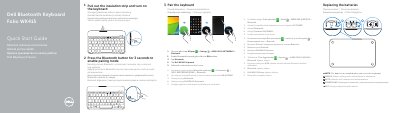
This Quick Start Guide explains how to set up the Dell Bluetooth Keyboard Folio WK415. It covers pulling out the insulation strip, turning on the keyboard, pairing it with a tablet over Bluetooth, and replacing the batteries.
The guide also identifies the keyboard parts, including the Home key, shortcut keys, battery tray, power-status light, Bluetooth-status light, Bluetooth button, power switch, tablet case, stylus holder, and tablet stand/flip cover, and lists the available media shortcut keys.
| Regulatory model and type | K07M K07M001 |
|---|---|
| Bluetooth pairing button hold time | 3 seconds |
| Document date | 2014-03 |
Pull out the insulation strip and turn on the keyboard using the power switch.
Press and hold the Bluetooth button for 3 seconds to enable pairing mode.
On the tablet, open All Apps, go to Settings, WIRELESS & NETWORKS, then Bluetooth, turn Bluetooth on, tap Dell WK415 Keyboard, and follow the on-screen instructions.
Yes, the batteries are installed when the keyboard is received.