
Dell Bluetooth Keyboard Folio WK415 Quick Start Guide.
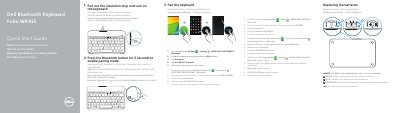
This quick start guide explains how to prepare and pair the Dell Bluetooth Keyboard Folio WK415 with a tablet. It shows pulling out the insulation strip, turning on the keyboard, and using the Bluetooth button to enter pairing mode.
The guide also identifies the keyboard parts and shortcut keys, notes that batteries are installed at delivery, and lists regulatory model information. Support, manual, and regulatory resources are referenced at the end.
| Regulatory model | K07M |
|---|---|
| Regulatory type | K07M001 |
Pull out the insulation strip and turn on the keyboard.
Press the Bluetooth button for 3 seconds, then on the tablet enable Bluetooth and select Dell WK415 Keyboard.
Yes, the batteries are installed when you receive the keyboard.
It includes Home, Back, mute audio, volume, playback, brightness, search, all apps, and action menu keys.