
Key facts
- Brand
- Behringer
- Model
- ULTRAGRAPH PRO FBQ6200
- Industry
- Appliances
- Documents
- 4
- Languages
- EN · ES
- Last added
- 2023-10-13
Start here
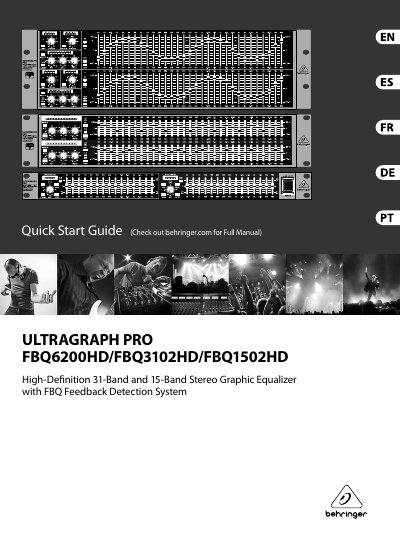
ULTRAGRAPH PRO FBQ6200HD/FBQ3102HD/FBQ1502HD Quick Start Guide
The document is a Quick Start Guide for the Behringer Ultragraph Pro series of high-definition stereo graphic equalizers. It covers three specific models: the FBQ6200HD (31-band), the FBQ3102HD, and the FBQ1502HD (15-band). The guide features a Feedback Detection System designed to help users manage audio feedback effectively.
Read onlineAll Behringer ULTRAGRAPH PRO FBQ6200 documents by type
Day-to-day operation, settings and troubleshooting. Start here if the product is already set up.
The shortest path to a working setup, usually only a few pages.
Questions answered in these manuals
What does the FBQ Feedback Detection System do?
It uses LEDs in the frequency band faders to immediately recognize and eliminate feedback frequencies.
From: Behringer ULTRAGRAPH PRO FBQ6200/FBQ3102/FBQ1502 User Manual
How can I adjust the fader range for each channel?
You can adjust the fader range from +6 to +12 dB for each channel independently.
From: Behringer ULTRAGRAPH PRO FBQ6200/FBQ3102/FBQ1502 User Manual
What is the primary function of this device?
It is an Audiophile 31-Band and 15-Band Stereo Graphic Equalizer with FBQ Feedback Detection System.
From: Behringer ULTRAGRAPH PRO FBQ6200/FBQ3102/FBQ1502 User Manual
Who is responsible for performing repairs?
Repairs must be performed exclusively by qualified personnel, not the user.
From: Behringer ULTRAGRAPH PRO FBQ6200/FBQ3102/FBQ1502 User Manual
What is the primary function of this Behringer equalizer?
This device is a High-Definition Stereo Graphic Equalizer that includes an FBQ Feedback Detection System.
From: ULTRAGRAPH PRO FBQ6200HD/FBQ3102HD/FBQ1502HD Quick Start Guide
Who is qualified to perform repairs on this unit?
Repairs must be performed by qualified service personnel because there are no user-serviceable parts inside.
From: ULTRAGRAPH PRO FBQ6200HD/FBQ3102HD/FBQ1502HD Quick Start Guide