
Key facts
- Brand
- Behringer
- Model
- FBQ2496
- Documents
- 2
- Languages
- ZH
- Last added
- 2000-01-01
Start here
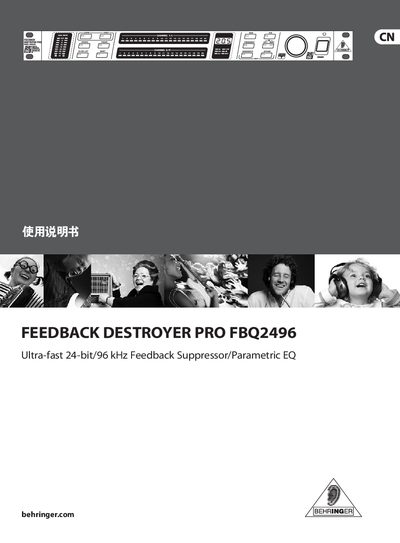
Behringer FBQ2496 Feedback Destroyer Pro User Manual
This guide covers everything you need to install and use the FBQ2496 feedback suppressor, including safety warnings, connection options, and volume modulation. It also details the learning modes, filter adjustments, and MIDI integration for flexible control.
Technical data such as frequency response, dynamic range, input/output specifications, power requirements and dimensions are provided in the specifications section, helping you match the unit to your audio system. This manual is written in Chinese.
Behringer FBQ2496 specifications
| Frequency response | <10 Hz – 44 kHz |
|---|---|
| CMRR (common‑mode rejection ratio) | <‑100 dB @ 1 kHz |
| Input impedance | ≈ 20 kΩ balanced |
| Rated input level | -10 dBV / +4 dBu (adjustable) |
| Maximum input level | +20 dBu (when set to +4 dBu) |
| Output impedance | ≈ 200 Ω balanced |
| Maximum output level | +20 dBu (when set to +4 dBu) |
| Power supply | 100‑240 V~, 50‑60 Hz |
| Dimensions (H × W × D) | 44.5 mm × 482.6 mm × 190.5 mm |
| Maximum filters per channel | 20 independent full‑parameter filters |
| Gain range | +15 dB – ‑36 dB |
Source: Behringer FBQ2496 Feedback Destroyer Pro User Manual
All Behringer FBQ2496 documents by type
Day-to-day operation, settings and troubleshooting. Start here if the product is already set up.
Questions answered in these manuals
What does the PANIC button do?
Holding the PANIC key (up to 1 second) makes the unit quickly search for and suppress feedback frequencies.
What are the rack‑mount dimensions and mounting requirements?
The FBQ2496 fits a 19‑inch rack using 1 HE height; leave about 10 cm behind for rear connectors and secure it with M6 screws and nuts.
How do I activate the learning mode to automatically detect feedback frequencies?
Press the LEARN button briefly; the LED lights and the unit searches for problem frequencies and sets single filters.