
Key facts
- Brand
- Behringer
- Model
- FBQ6200
- Documents
- 2
- Languages
- ZH
- Last added
- 2000-01-01
Start here
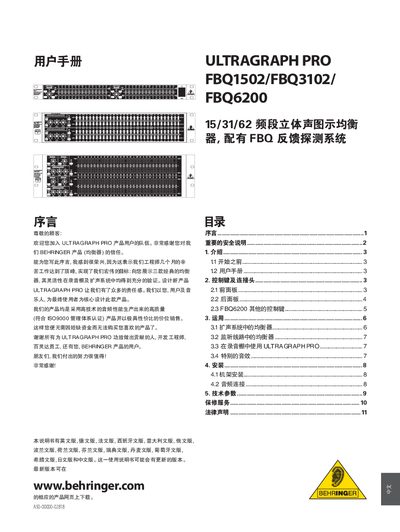
Behringer ULTRAGRAPH PRO FBQ1502/FBQ3102/FBQ6200 User Manual
This manual covers the ULTRAGRAPH PRO series of graphic equalizers (FBQ1502, FBQ3102, FBQ6200) produced by Behringer. It introduces the FBQ feedback detection system, limiter, noise generator and low‑frequency output features, and explains how the units can be used in live sound, monitoring and studio environments.
Key sections include important safety notices, front‑panel and rear‑panel control descriptions, rack‑mount installation, audio connection wiring, voltage selection, and detailed operating procedures for each model. The document also provides warranty information and contact details for service. This manual is written in Chinese.
Behringer FBQ6200 specifications
| Gain adjustment range per channel | +6 to +12 dB |
|---|---|
| Number of bands per channel (FBQ3102) | 31 |
| Number of faders (FBQ6200) | 62 |
| Low‑cut filter range | 2.5 Hz–30 kHz |
Source: Behringer ULTRAGRAPH PRO FBQ1502/FBQ3102/FBQ6200 User Manual
All Behringer FBQ6200 documents by type
Day-to-day operation, settings and troubleshooting. Start here if the product is already set up.
Questions answered in these manuals
How do I activate the FBQ feedback detection system?
Press the FBQ key; the system lights the corresponding fader LEDs to show the feedback frequencies.
From: Behringer ULTRAGRAPH PRO FBQ1502/FBQ3102/FBQ6200 User Manual
What safety precautions should be taken when installing the unit?
Do not remove the top or rear cover, keep the unit away from moisture, ensure proper ventilation, ground the equipment, and use the correct voltage setting before connecting power.
From: Behringer ULTRAGRAPH PRO FBQ1502/FBQ3102/FBQ6200 User Manual