
Quick guide for the SATO DR300 printer covering unpacking, parts, media and ribbon loading, DIP-switch settings, maintenance, and specifications.
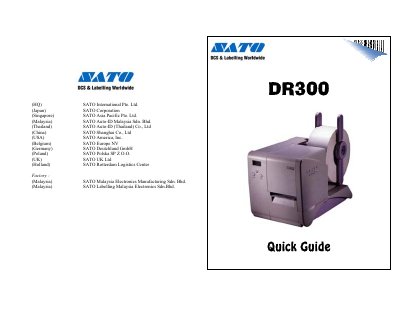
The DR300 Quick Guide describes the SATO DR300 printer, the items packed with it, and installation and handling instructions such as placement and power supply requirements. It covers the optional touch screen, names of parts, media loading for labels and carbon ribbon, pitch sensor adjustment, power supply, simple troubleshooting, daily maintenance, serial interface, specifications, and DIP-switch settings.
Basic specifications in the guide include 8 dots/mm head density, thermal transfer or direct thermal printing, selectable print speeds of 75, 100, 125 mm/second, and a maximum print area of W 80 mm x P 178 mm. Label width is listed as 32–80 mm and label pitch as 19–181 mm.
| Print Method | Thermal Transfer / Direct Thermal |
|---|---|
| Print Speed | 75, 100, 125 mm/second (selectable) |
| Head Density | 8 dots/mm |
| Print Area | Max W 80 mm x P 178 mm (optional print area expansion) |
| Label Width | 32–80 mm |
| Label Pitch | 19–181 mm |
| Label Thickness | 0.1–0.26 mm |
| Power Consumption | Max 190 VA, 130 W |
| Operating Temperature | 5~40 d.c. |
| Baud Rate | 2400, 4800, 9600, 19200 BPS |
The carton includes the DR300 Printer, Quick Guide, Driver / Manual CD-Rom, power cable or plug, head cleaning sheet, sample ribbons, ribbon take-up core, cleaning solution, cleaning cloth, ribbon part list, and maintenance contract.
The DR300 requires an AC220/240V power supply from the main power supply, with a three-pin earthed power lead required.
The DIP Switch shall be set when the printer is off. All settings are set to OFF position as factory defaults.
The DR300 supports selectable print speeds of 75, 100, and 125 mm/second.