
This quick guide covers safety precautions, component identification, power connection, ribbon and media loading, startup, and basic specifications for the…
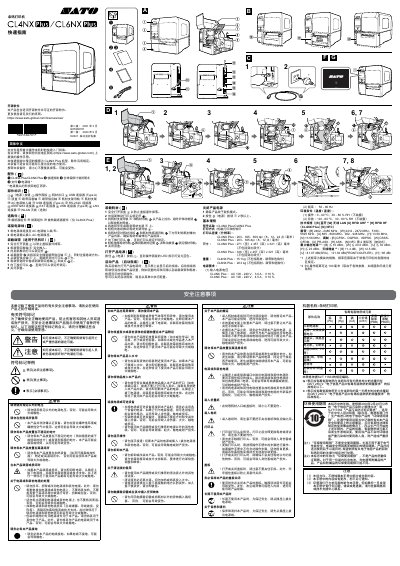
This document serves as a quick start guide for the SATO CL4NX Plus and CL6NX Plus barcode printers, intended for first-time users. It provides essential information on safety symbols, component identification, and step-by-step instructions for connecting power, loading ribbons and media, and powering on the device. The guide also explains the initial startup wizard process. This manual is written in Chinese.
| Print Method | Thermal and Thermal Transfer |
|---|---|
| Resolution (CL4NX Plus) | 203, 305, 609 dpi |
| Resolution (CL6NX Plus) | 203, 305 dpi |
| Dimensions (CL4NX Plus) | 271 x 457 x 321 mm |
| Dimensions (CL6NX Plus) | 338 x 457 x 321 mm |
| Weight (CL4NX Plus) | 15.1 kg |
| Weight (CL6NX Plus) | 20.3 kg |
| Operating Temperature | 0 - 40 ºC |
The printers support both thermal and thermal transfer printing methods.
Press the power button until the LED indicator on the operation panel turns blue.
Immediately cut off the power, unplug the power cord, and contact SATO.