
User manual for Laser AO-AB300 wireless earphones, covering pairing, controls, charging, and troubleshooting.
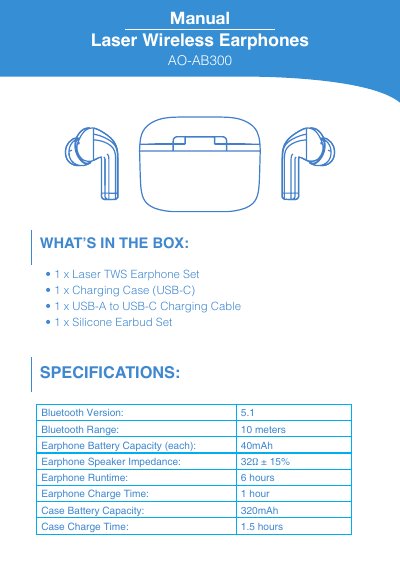
The Laser AO-AB300 is a wireless earphone set with Bluetooth 5.1 and a 10-meter connection range. Each earphone has a 40mAh battery with up to 6 hours runtime, while the charging case has a 320mAh battery.
The manual explains automatic pairing and re-syncing, touch controls for calls, playback, tracks, and volume, charging through USB-C, and troubleshooting for common connection and audio issues.
| Bluetooth version | 5.1 |
|---|---|
| Bluetooth range | 10 meters |
| Earphone battery capacity (each) | 40mAh |
| Earphone speaker impedance | 32Ω ± 15% |
| Earphone runtime | 6 hours |
| Earphone charge time | 1 hour |
| Case battery capacity | 320mAh |
| Case charge time | 1.5 hours |
Take the earphones out of the charging case so they turn on, sync together, and enter pairing mode, then select AO-AB300 in your device's Bluetooth settings.
Make sure both earphones have been charged, then follow the manual's re-syncing instructions.
Pairing is done via Bluetooth; take both earphones out of the case, place them next to the device, wait for the Bluetooth list to update, then select AO-AB300.
The maximum wireless range is 10 meters, and handling the earphones can affect the touch area.