
Key facts
- Manuals
- 8
- Models
- 1
- Categories
- 1
- Languages
- EN · ZH
- Last added
- 2012-04-11
Laser models by category
Featured Laser manuals
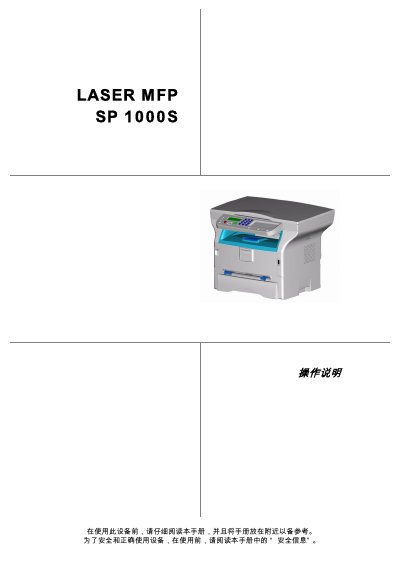
Telecom SP 1000S User Manual
This manual covers all aspects of using the Telecom SP 1000S laser multifunction printer, from safety precautions and installation requirements to detailed operating procedures for printing, copying, and scanning. It also includes troubleshooting guidance and maintenance steps to keep the device running reliably.
Technical specifications, paper handling options, and configuration settings are listed, allowing users to customize the printer for their office environment. The document is intended for end‑users and service technicians who need clear, step‑by‑step instructions.
Covers: Safety Information · Installation Guidelines · Paper Handling · Printing and Copying · Scanning · Configuration Settings
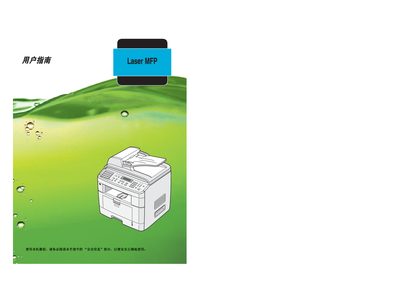
Ricoh Aficio FX200/DSm520p Laser MFP User Manual
This manual explains how to install the Ricoh Aficio FX200/DSm520p laser multifunction printer, configure the supplied software, and use its printing, scanning, copying, and fax functions. Safety warnings, laser classification, and electrical precautions are detailed to ensure safe operation.
Paper handling guidelines, supported media types, and specifications for printing, copying, and scanning are covered, along with troubleshooting steps, toner replacement, and network/telephone connection procedures. This manual is written in Chinese.
Covers: Safety Information · Paper Handling · Specifications · Installation · Maintenance · Troubleshooting
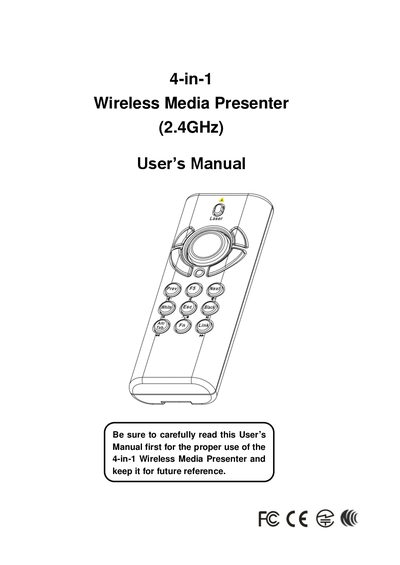
Laser 4-in-1 Wireless Media Presenter User Manual
The Laser 4-in-1 Wireless Media Presenter combines PowerPoint control, laser pointing, wireless mouse, and PC multimedia remote functions into a compact 2.4 GHz device. It operates up to 100 ft indoors and 328 ft outdoors, with a laser range of up to 130 ft.
The manual covers equipment checklist, system requirements, battery installation, USB receiver connection, mode switching, key functions for PowerPoint and multimedia playback, specifications, care and maintenance, and a FAQ section for common issues.
Covers: Introduction · Getting Started and Operation Mode · Using the 4-in-1 Wireless Presenter · PowerPoint Presentation Mode · Multimedia Player Mode · Additional Information
Ricoh SP1000SF Laser MFP Operating Instructions
This manual provides safety guidelines, installation steps, and operating instructions for the Ricoh SP1000SF laser MFP. It includes information on power requirements, paper handling, and supported interfaces.
Technical specifications, troubleshooting tips, and regulatory compliance notes are also covered, helping users set up and maintain the device safely and efficiently. This manual is written in Chinese.
Covers: Safety Information · Installation Guidelines · Operating Instructions · Technical Specifications · USB and Interface Details · Paper Handling
Latest Laser manuals
LASER COMPONENTS - iC-WK BMST WK1D PACKAGE SPECIFICATION Rev A0 Page 1/6 20mm x 6.25mm ORDERING INFORMATION
iC-WK BMST WK1D is a laser diode produced by LASER COMPONENTS company. It is suitable for 5V input voltage and the working temperature range is 0 to 50 degrees Celsius.
LASER COMPONENTS IC-WK BMST WK2D Manual
This is a product specification sheet that details the product's parameters, performance, and application scenarios.
LASER COMPONENTS MCS3AT/BT 3-element colour sensor handbook
MCS3AT/BT 3-element colour sensor is a kind of optical sensor, which is made of 3 Si-PIN photo diodes integrated on chip. It has dielectric filters for the three colour ranges: red, green and blue, and is widely used in quality control, monitoring the production, control of manufacturing and detection of colour marks.
Telecom SP 1000S User Manual
User Manual 35 pages · 2.2 MB · ENThe Telecom SP 1000S multifunction printer user manual provides safety, installation, operation, and maintenance instructions.
Ricoh Aficio FX200/DSm520p Laser MFP User Manual
User Manual 260 pages · 5.9 MB · ZHThe Ricoh Aficio FX200/DSm520p laser MFP user manual provides setup, operation, paper handling, and maintenance instructions.
LASER MFP Aficio FX150SF operating instructions
Laser 4-in-1 Wireless Media Presenter User Manual
User Manual 22 pages · 1.2 MB · ENThe Laser 4-in-1 Wireless Media Presenter user manual provides setup, operation modes, specifications, and troubleshooting guidance.
Ricoh SP1000SF Laser MFP Operating Instructions
User Manual 57 pages · 3 MB · ZHUser manual for the Ricoh SP1000SF laser multifunction printer with safety, installation and performance details.
Which document do I need?
User Manual
Day-to-day operation, settings and troubleshooting. Start here if the product is already set up.
Questions answered in Laser manuals
What are the recommended operating temperature and humidity ranges?
The device should be used at temperatures between 10 °C and 27 °C with ambient humidity from 15 % to 80 % (up to 54 % when the temperature reaches 32 °C).
How do I replace the toner cartridge?
Refer to the maintenance section titled “更换 墨粉盒” for step‑by‑step toner replacement instructions.
What safety warnings apply to the laser module?
The device contains a 5 mW AlGaAs laser diode (770‑795 nm) classified as Class 1; the laser beam is fully enclosed during normal operation, and users must not open the cover or adjust the laser without following the manual.
Do I need to install software before first use?
No, the device works without installing any software.
Do I need to perform frequency linking the first time I use the presenter?
No, frequency linking is not required for the first use.
What laser safety class does the SP1000SF belong to?
It is classified as a Class 1 laser product.