
Finder YOUPORTUGUÊS 1Y.GU.005.1 Gateway quick guide covering Micro USB installation, Wi-Fi 2.4 GHz, 868 MHz radio, LED status, configuration and reset.
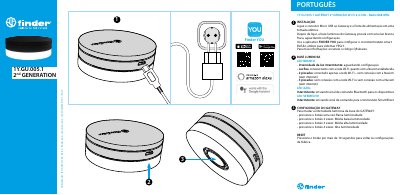
The Finder YOUPORTUGUÊS 1Y.GU.005.1 Gateway is a second-generation device with Wi-Fi 2.4 GHz and 868 MHz radio. Installation connects the Micro USB connector to the Gateway and the power supply to an electrical outlet. After power-on, the light base blinks with a weak white light while waiting for configuration, and the FINDER YOU app is used to configure the smart BLISS2 chronothermostat for YESLY systems.
The guide describes the white base LED states, the blue LED for Bluetooth command signals, and the red LED for command signals to the Smart Bliss2 thermostat. It also lists button presses for four light-intensity levels and gives the reset method: press the button for more than 10 seconds to return to factory settings. This manual is written in Portuguese.
| Wireless radio | Wi-Fi 2.4 GHz and 868 MHz radio |
|---|---|
| Power connection | Micro USB |
| Reset duration | More than 10 seconds |
| Light intensity levels | 4 levels |
Connect the Micro USB connector to the Gateway and plug the power supply into an electrical outlet.
A fixed white light means the Gateway is connected to both the Wi-Fi network and the Cloud.
The blue LED blinks when the Gateway is sending a Bluetooth command signal to devices.
Press the button for more than 10 seconds to return to factory settings.