
User manual for ELECOM's wireless trackball mouse, covering battery installation, USB connection, cleaning, power-saving mode, and technical specs.
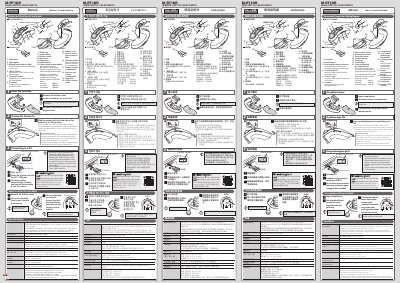
This manual guides users through installing batteries, connecting the mouse via USB, cleaning the optical sensor, and using power-saving mode. It includes technical specifications such as operating temperature, battery life, and compatibility with Windows and macOS systems.
The mouse features a 2.4GHz wireless connection, optical sensor, and supports DPI settings of 500/1000/1500. It is designed for use with Windows 10, 8.1, 7, and macOS Mojave, with a compact form factor and a detachable receiver unit. This manual is written in Chinese.
| Battery Type | AAA alkaline, manganese, or NiMH |
|---|---|
| Continuous Operation Time | Approximately 113 hours |
| Resolution | 500/1000/1500 DPI (switchable) |
| Wireless Frequency | 2.4GHz |
| Compatibility | Windows 10, 8.1, 7, macOS Mojave (10.14) |
Insert the receiver unit into the PC's USB port. The driver will install automatically, and you can then use the mouse.
The LED will blink red for a fixed time to indicate low battery.
The mouse automatically enters power-saving mode after being untouched for a fixed period while powered on.
Approximately 10 meters on non-magnetic surfaces (e.g., wooden desks), and about 3 meters on magnetic surfaces (e.g., metal desks).