
User guide for ELECOM's M-CC2BRS Bluetooth mouse, covering charging, pairing, safety, and specs for Windows and Mac.
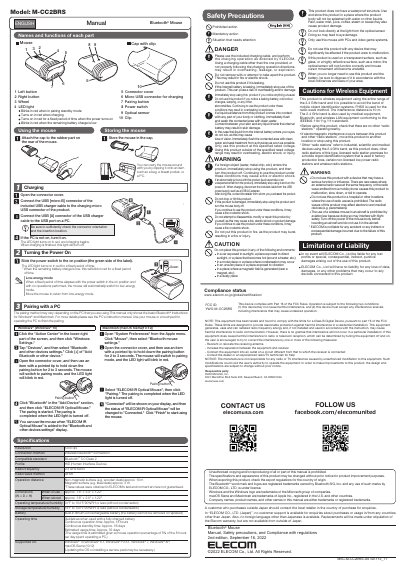
This manual explains how to charge, pair, and operate the ELECOM M-CC2BRS Bluetooth mouse with Windows or Mac systems. It includes safety precautions, technical specifications, and usage tips. The mouse uses Bluetooth 3.0 and has a built-in rechargeable battery with up to 18 hours of continuous use. Pairing instructions are provided for both Windows 10 and macOS Sierra, including steps to enter pairing mode and complete connection.
| Resolution | 1200 dpi |
|---|---|
| Connection Method | Wireless Bluetooth® connection |
| Compatible Standard | Bluetooth® 3.0 Class 2 Profile HID (Human Interface Device) |
| Radio Frequency | 2.4 GHz band |
| Operation Distance | Non-magnetic surface: approx. 10 m; Magnetic surface: approx. 3 m |
| Battery | Built-in lithium-ion rechargeable battery (cannot be removed or replaced) |
| Operating Time | Continuous operation: approx. 18 hours; Continuous standby: approx. 36 days |
| Supported OS | Windows® 10, 8.1, RT8.1, 7, XP; macOS Sierra (10.12) |
| Dimensions (W × D × H) | In use: approx. 1.6" × 3.4" × 1.22"; Stored: approx. 1.6" × 2.0" × 1.22" |
| Operating Temperature/Humidity | 41°F to 104°F / 90%RH or less (without condensation) |
Approx. 10 meters on non-magnetic surfaces (e.g., wooden desk) and approx. 3 meters on magnetic surfaces (e.g., steel desk).
Windows 10, 8.1, RT8.1, 7, XP, and macOS Sierra (10.12).