
LaCie d2 SAFE hard drive user manual, introduces the features and characteristics of the LaCie d2 SAFE hard drive, including connection, setup, use, formatting, troubleshooting, etc.
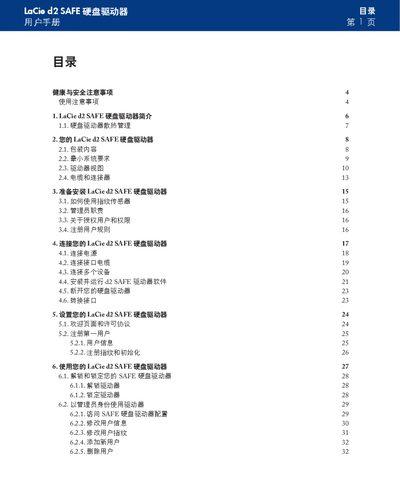
This manual explains how to install and connect the LaCie d2 SAFE external hard drive, covering power connection, USB/FireWire interfaces, and required system specifications. It also details the fingerprint sensor usage, user registration, and lock/unlock procedures.
Additional sections cover formatting the drive, troubleshooting common issues, warranty information, and how to contact LaCie technical support. This manual is written in Chinese.
| Power requirements | 100‑240 V~, 1.5 A, 60‑50 Hz |
|---|---|
| Maximum storage capacity | up to 500 GB |
| Operating temperature range | 5 °C to 35 °C (41 °F to 95 °F) |
| USB 2.0 speed requirement | Connect to a USB 2.0 host port for full speed |
Slide your finger on the biometric sensor; the drive will unlock and become ready for use.
The drive requires 100‑240 V~, 1.5 A, and operates at 60‑50 Hz.
Up to five authorized users can access the drive, and up to ten users can be registered in total.
Use the formatting procedure described in the manual under “格式化您的 LaCie d2 SAFE 硬盘驱动器”.