
LaCie Hard Disk MAX User Manual, introduces the features and characteristics of the product, including minimum system requirements, package contents, drive views, connections, formatting and partitioning, interface and data transfer information, RAID, troubleshooting, contact customer support, warranty information, etc.
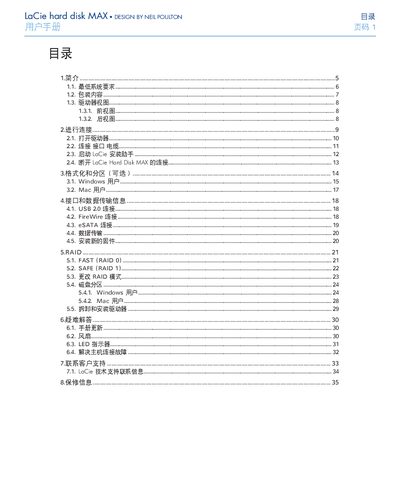
This manual explains how to install and operate the LaCie MAX external hard disk. It covers system requirements, unpacking, drive views, connection steps, and the use of the LaCie Installation Assistant.
The guide also details RAID configurations, formatting options for Windows and Mac, interface specifications, troubleshooting tips, warranty information and contact details for technical support. This manual is written in Chinese.
| Power Supply Voltage | 100‑240 V |
|---|---|
| Operating Temperature | 5 °C – 35 °C (41 °F – 95 °F) |
| Operating Humidity | 5 % – 80 % (non‑condensing) |
| Storage Humidity (non‑condensing) | 10 % – 90 % |
| Number of Disks | Two disks with RAID functionality |
| LED Indicators | Blue = normal, Red = disk failure, Flashing = activity |
Use the Windows formatting procedure described in section 3.1 of the manual.
The drive is covered for material and workmanship defects under normal use; warranty is void if the device is misused, modified without authorization, or damaged by external factors.