
This is the user manual of Philips phone 598, which introduces the basic operation methods and functions of the phone.
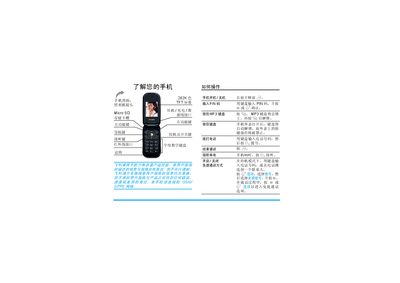
This manual explains how to use the Philips 598 mobile phone, covering basic operations such as powering on/off, dialing, answering calls, and navigating the main menu. It also details the phone's hardware features like the 262K‑color TFT screen, micro‑SD card slot, and GSM/GPRS network support.
Additional sections describe multimedia functions (MP3, camera, games), connectivity options (Bluetooth, infrared, USB), and the Philips Club services. The document ends with accessory information, trademark notices, and customer service terms. This manual is written in Chinese.
| Screen | 262K‑color TFT |
|---|---|
| Network | GSM/GPRS |
| Memory Card Slot | Micro SD |
Press and hold the power key, then release.
Press * to lock the MP3 keyboard; press * again to unlock it.
When the phone rings, press ( to answer.
In standby mode, press , to open the main menu.