
This document is the user manual for the Philips Portable Netbook Power Adaptor SPJ5100. The manual includes specifications such as voltage, tip dimension, polarity, etc. for various models of netbook computers.
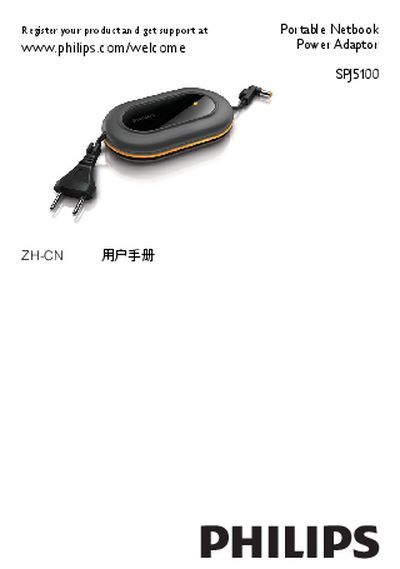
The Philips SPJ5100 is a portable netbook power adaptor supplied with interchangeable tips for various netbook brands. The manual provides a tip specification table, product overview, connection steps, troubleshooting, recycling information, and compliance notices.
The specification table lists seven tip numbers with voltages where stated, tip dimensions, compatible netbook models, and centre-positive polarity. It also explains selecting a matching tip, connecting the adaptor, and handling charging or heating problems. This manual is written in Chinese.
| Tip 1 voltage | 12V |
|---|---|
| Tip 1 dimensions | 4.8/1.7 x 12 mm |
| Tip 1 compatible netbooks | ASUS Eee PC 900, 901, 904, 1000, 1002, S101, T91, MK90; Gigabyte M912, M1022, S1024, T1028 |
| Tip 2 voltage | 19V |
| Tip 2 dimensions | 2.5/0.65 x 7 mm |
| Tip 2 compatible netbooks | ASUS Seashell 1005, 1008 and 1101 |
| Tip 3 dimensions | 4.0/1.7 x 12 mm |
| Tip 3 compatible netbooks | HP Mini 110, 1000, 1010, 1014, 1019, 1035, 1100, 1120; Compaq Mini 700, 702, 730 |
| Tip 4 dimensions | 5.5/2.1 x 12 mm |
| Tip 4 compatible netbooks | Acer Aspire One AOD150, A110, A150, D150, D250, Pro 531 and 751 |
| Tip 5 dimensions | 5.5/2.5 x 11.5 mm |
| Tip 5 compatible netbooks | BenQ Joybook U101, U102, U103, U121, U131; Toshiba NB100, NB105, NB200; LG Xnote X100, X110, X120, X130; Kohjinsha SA1F00 and SH811 series; Fujitsu M series M1010, M2010; Asus N10; Lenovo IdeaPad S series S9, 10, 10-2 and 12; MSI Wind NB U90, U100, U115, U120, U123 |
| Tip 6 dimensions | 5.5/3.0 (1.0) x 12 mm |
| Tip 6 compatible netbooks | Samsung NC10, NC20, N110, N120, N130, N140, N310, N510 |
| Tip 7 dimensions | 7.4/5.1 (0.9) x 12 mm |
| Tip 7 compatible netbooks | HP Mini Note 2133, 2140, 5101 |
| Polarity | Centre +ve |
Select the tip matching your netbook, connect it to the netbook cable, then connect the adaptor to the netbook power socket and the AC power socket; the LED lights up.
The selected tip may not suit the connected netbook, so connect the correct tip according to the tip list, manual, packaging, or Philips website.
It may be connected to a higher-power notebook; after cooling, the adaptor continues working and the netbook or notebook is still charging.
The voltage rating is printed on the tip, such as 12V or 19V.