
The document introduces the features and performance improvements of Philips phones and provides an operation guide.
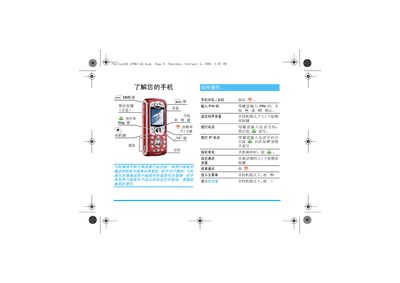
This guide explains how to get started with the Philips 535 mobile phone, covering first‑time use, SIM card installation, power on/off, and basic navigation of menus. It also details how to manage contacts, make and receive calls, send SMS/MMS, and use the built‑in camera and audio features.
Additional sections describe battery charging, date and time configuration, internet and GPRS settings, and troubleshooting tips. The manual includes safety information, warranty details, and customer service contacts for Philips devices. This manual is written in Chinese.
| Charging Time | ≈1.45 hours |
|---|---|
| Maximum Talk Time | 6 hours |
| Maximum Standby Time | 300 hours |
| Battery Indicator | 4 bars = full charge |
Press the power key (marked with a ) symbol) to power on the device.
Remove the back cover, take the SIM card from its holder and insert it into the metal slot until it stops.
When the phone is powered on for the first time, it prompts you to set the date and time using the numeric keys.
During charging, four battery indicator bars light up progressively; when all four are solid, the battery is fully charged.