
The Dell XPS 15 laptop quick start guide.
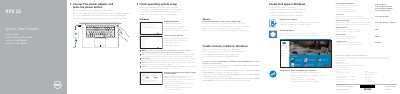
This document serves as a Quick Start Guide for the Dell XPS 15 laptop, providing instructions in multiple languages including English, Dutch, French, Portuguese, and Spanish. It covers essential initial setup steps such as connecting the power adapter, enabling Dell updates, and configuring the operating system.
| Input Voltage | 100 V CA–240 V CA |
|---|---|
| Input Frequency | 50 Hz–60 Hz |
| Input Current Consumption | 1,80 A |
| Output Voltage | 19,50 V DC |
| Output Current Consumption | 6,67 A |
| Origin | Made in China |
The input voltage range is 100 V CA–240 V CA.
For more information, see Specifications at Dell.com/support.