
The Dell Inspiron One 2020 Quick Start Guide provides information on how to set up and use your new computer.
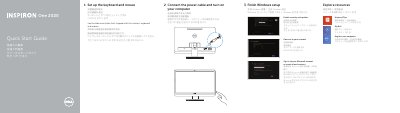
This quick start guide covers initial setup of the Dell Inspiron One 2020 computer, including connecting the keyboard and mouse, connecting power, completing Windows setup, enabling security and updates, signing in or creating an account, and connecting to a network.
It also identifies the computer's external features, such as USB ports, camera, optical drive, and controls, and lists Dell support, manual, contact, and regulatory information.
| USB 2.0 ports (one side) | 3 |
|---|---|
| USB 2.0 ports (other side) | 2 |
| Regulatory model | W06B |
The guide lists dell.com/support and dell.com/support/manuals.
The guide lists dell.com/contactdell.
The features list shows 3 USB 2.0 ports on one side.
The regulatory model is W06B.