
The guide describes how to set up the keyboard and mouse, connect the power adapter and press the power button, and set up the stand.
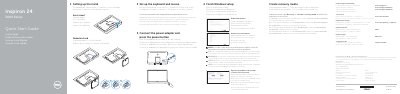
This quick start guide covers setting up the Dell Inspiron 24 3000 Series all-in-one desktop, identified in the document as computer model Inspiron 24-3459 (regulatory model W12C, regulatory type W12C003). The steps are presented in Dutch, French, Portuguese, Spanish and English: set up the keyboard and mouse, connect the power adapter and press the power button, set up the easel or pedestal stand, finish Windows setup, enable Dell updates, connect to your network and sign in to a Microsoft account or create a local account.
The guide also lists where to find Dell apps, how to create recovery media in Windows, run SupportAssist to check and update the computer, register the computer, and get product support, contact and regulatory information. A features section labels the ports, camera, microphones, buttons and other parts of the computer, and a tilt section shows the easel and pedestal stand angle ranges.
| Regulatory model | W12C |
|---|---|
| Regulatory type | W12C003 |
| Computer model | Inspiron 24-3459 |
| Input voltage | 100 V AC–240 V AC |
| Input frequency | 50 Hz–60 Hz |
| Input current | 1.70 A / 2.50 A |
| Output voltage | 19.50 V DC |
| Output current | 3.34 A / 4.62 A |
| Country of origin | Made in China |
In Windows search, type Recovery, click Create a recovery media, and follow the instructions on the screen.
Enter the password for the wireless network access when prompted.
Dell points to Dell.com/support and Dell.com/support/manuals for product support and manuals.
The NOM information lists 100 V AC–240 V AC input at 50 Hz–60 Hz, and 19.50 V DC output.