
The document describes the process of unpacking and setting up a Lenovo laptop.
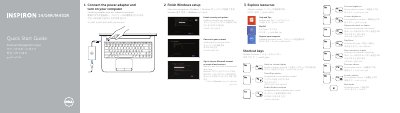
This Dell Quick Start Guide for the Inspiron 3421/5421/5435/3437/5437 laptop explains finishing Windows setup, exploring resources, using shortcut keys, and connecting the power adapter before turning on the computer.
The guide also lists laptop features such as the digital microphone, camera, optical drive, USB ports, media-card reader, touchpad, headset port, network port, HDMI port, power-adapter port, security-cable slot, power button, and status lights. It provides Dell support and manual links, contact information, regulatory and safety links, regulatory model P37G, and the computer model names.
| Computer model | Inspiron 3421/5421/5435/3437/5437 |
|---|---|
| Regulatory model | P37G; P37G001/P37G002/P37G003 |
| USB 3.0 ports | 2 |
The guide lists the Inspiron 3421/5421/5435/3437/5437.
Connect the power adapter and turn on the computer.
It lists regulatory model P37G and model types P37G001/P37G002/P37G003.
Dell provides manuals at dell.com/support/manuals.