
This guide describes how to set up the keyboard and mouse, connect the power adapter, turn on the power button, finish operating system setup, enable security and updates, and connect to a network.
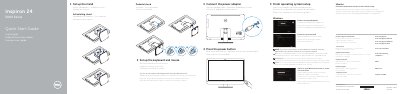
This guide covers initial setup of the Dell Inspiron 24 5000 Series computer, including stand assembly, keyboard and mouse setup, power connection, powering on, and completing Windows or Ubuntu setup.
It also identifies the computer's features and ports, lists Dell applications and support resources, and provides regulatory, safety, and stand tilt information.
| Regulatory model | W12C |
|---|---|
| Computer model | Inspiron 24-5459 |
| Power supply voltage | 100-240 V AC |
| Power supply frequency | 50-60 Hz |
| Input current | 2.50 A |
| Output voltage | 19.50 V DC |
| Output current | 4.62 A/6.70 A |
| USB 3.0 ports | 2 |
| USB 2.0 ports | 4 |
The regulatory model is W12C.
The computer model is Inspiron 24-5459.
It has two USB 3.0 ports and four USB 2.0 ports.
The power adapter outputs 19.50 V DC at 4.62 A or 6.70 A.