
Dell Inspiron 24 5000 Series Ubuntu Quick Start Guide.
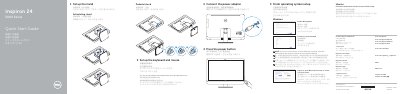
This guide helps you set up your Dell Inspiron 24-5459 with Ubuntu. It covers connecting peripherals like keyboard and mouse, setting up the stand, connecting power, and finishing OS setup. You’ll also learn how to connect to your network and sign in to your account.
The guide includes a diagram of the device’s ports and features, such as microphones, camera, USB ports, HDMI, and power buttons. It also explains how to check for updates, register your computer, and create recovery media for Windows. This manual is written in Chinese.
Connect to your network by following the instructions on the screen. If connecting to a secured wireless network, enter the password when prompted.
Sign in to your Microsoft account or create a local account during setup.
Available ports include USB 3.0 (2), USB 2.0 (4), HDMI-in, HDMI-out, audio-out, network, and power-adapter ports.